Data movement — Flows, Streaming & Data API
Querying reads your data in place. Sometimes you need to move it: transform and load it on a schedule, ingest a live event stream, or publish a governed endpoint other systems can call. AgentData has three subsystems for that, each a separate, independently scalable service that shares the same registry and adapters.
| Use case | Use this |
|---|---|
| Load & transform on a schedule; join across sources; write to a target | Flows / ETL |
| Ingest a continuous stream of events into a table | Streamer |
| Publish a query or procedure as a secure JSON endpoint for other apps | Data API |
| Ad-hoc, read-only questions | plain Querying |
Each runs as its own service on its own port (Transform 8020 · Streamer 8030 · Data API 8040), so heavy data work never starves the API. They can run in the cloud or, like the connector, inside your network.
Flows (ETL transformer)
A flow extracts from one or more sources, transforms, and loads into a target — on a schedule or on demand. Flows land data in a staging database you provide (Postgres, MySQL or SQL Server), which holds both the control tables and the target tables.
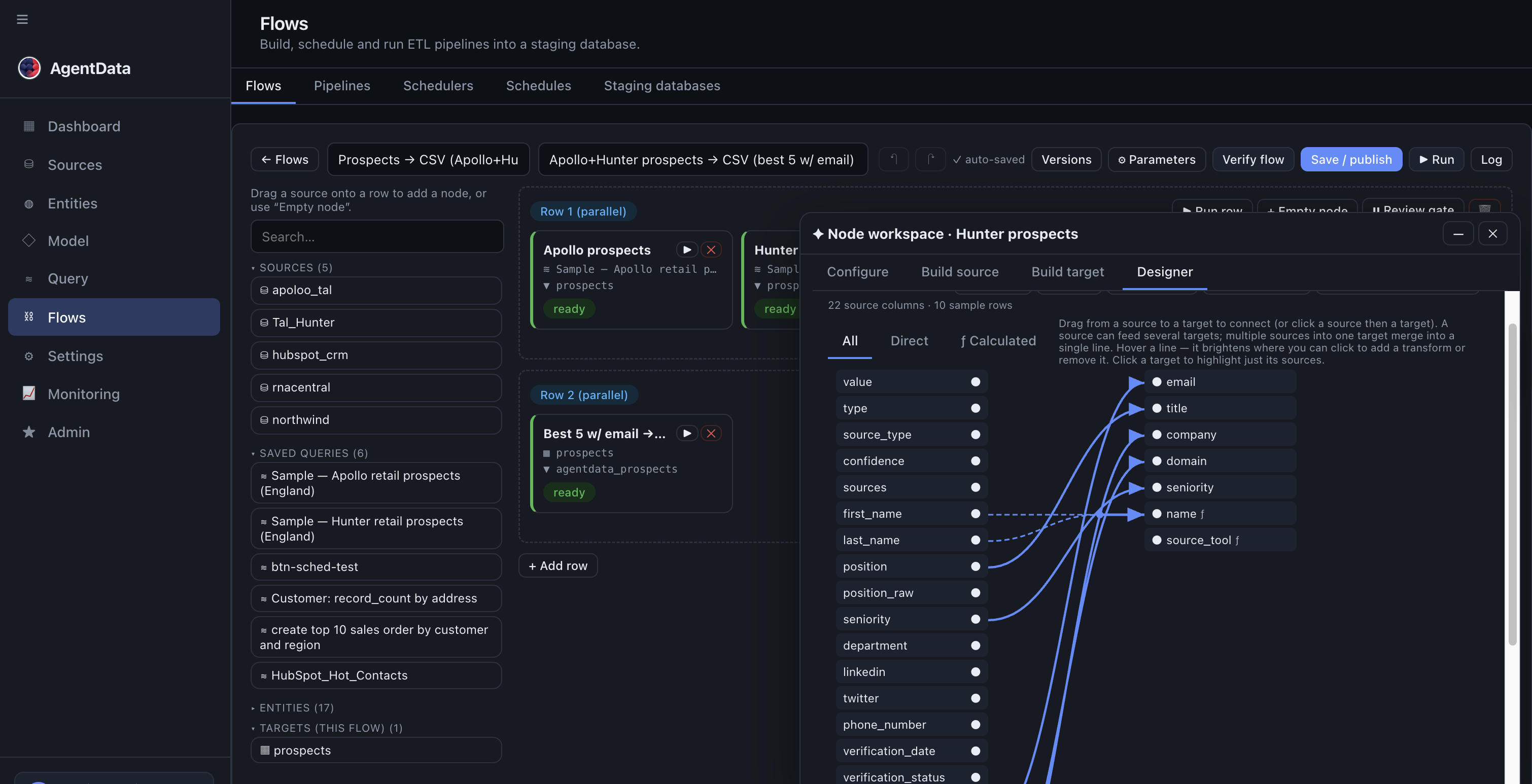
Building a flow
A flow is a grid of nodes arranged in rows. Everything in a row runs in parallel; the next row waits for the previous one to finish — so a downstream node always reads a fully-populated upstream target.
Each node is source → target, plus how they map:
- Source — a registered source, a raw SQL
SELECT, a semantic entity, a saved template, a prior flow's output, or a CSV from a file store. - Target — an existing table, or a new staging table created for you; or write-back to a relational source / SaaS object; or a CSV export; or a key/value dictionary.
- Mapping — source column → target column, with optional type transforms.
- Calculated columns — expressions over the row (concatenations, dates, arithmetic).
- Load type —
truncate + insert,upsert(replace by key), ordelete + insert.
Before it runs live you validate (are the sources/targets reachable, do types line up?) and preview (a test run over the top-N rows with the data shown), so surprises surface early.
The staging database
The staging DB is yours — on-prem or cloud, isolated per tenant by a tenant_id on every control row. AgentData either creates a new database and installs its control tables (flows, flows_scheduled, flows_exec), or uses an existing one you point it at. Target tables are namespaced so multiple tenants can safely share one staging server. The same control DDL is shipped for each engine, so the behaviour is identical across Postgres/MySQL/SQL Server.
Running, scheduling & alerts
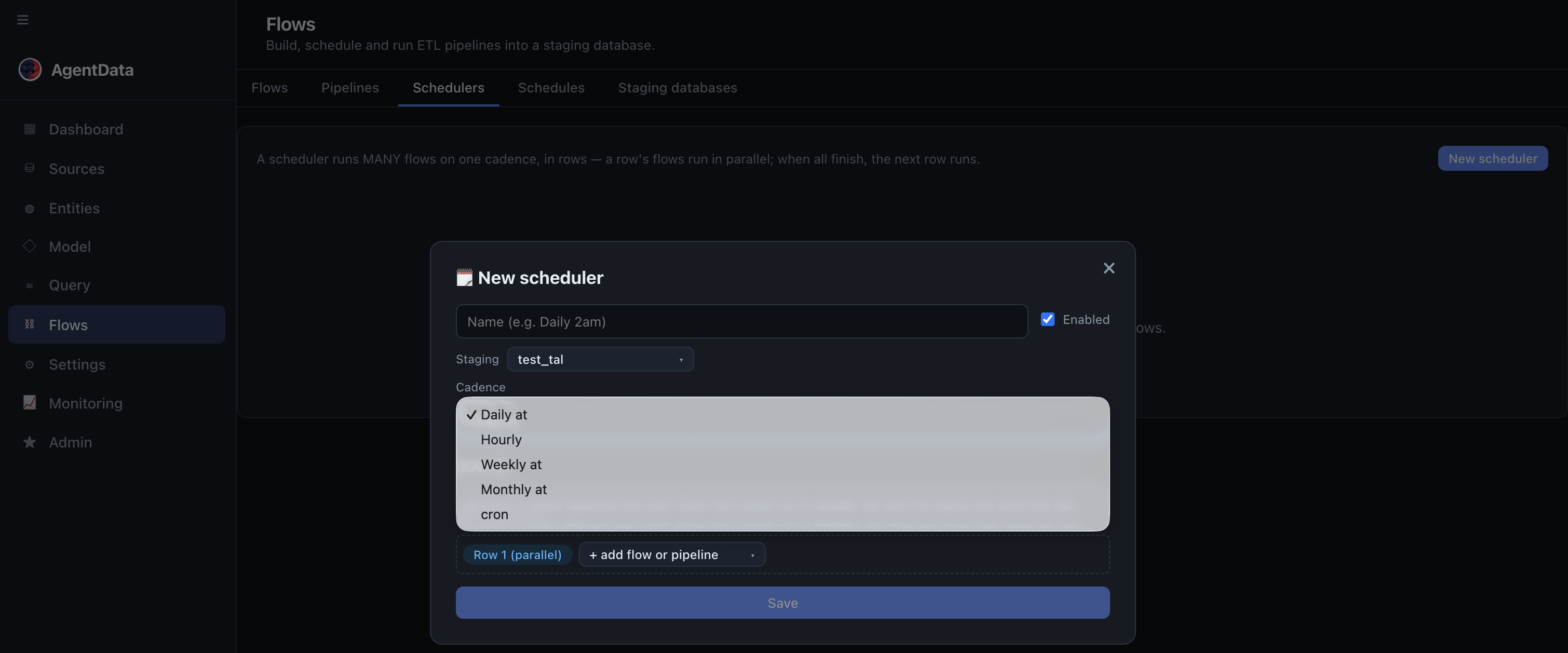
The transform server resolves each source, applies the transforms, and loads in chunks inside a transaction (rolling back on failure). A scheduler fires flows on a daily/weekly/monthly cadence or a cron expression, and every run is logged to flows_exec. Success/warning/error alerts go out by email and Slack.
Admins tune runtime behaviour (per-tenant, or globally) in Settings → Config → ETL runtime: max_parallel, bulk_rows (chunk size), alert_on + email/Slack, allow_create_target, allow_saas_write (live SaaS write vs. dry-run), and log_retention_days.
Pipelines (a DAG of flows)
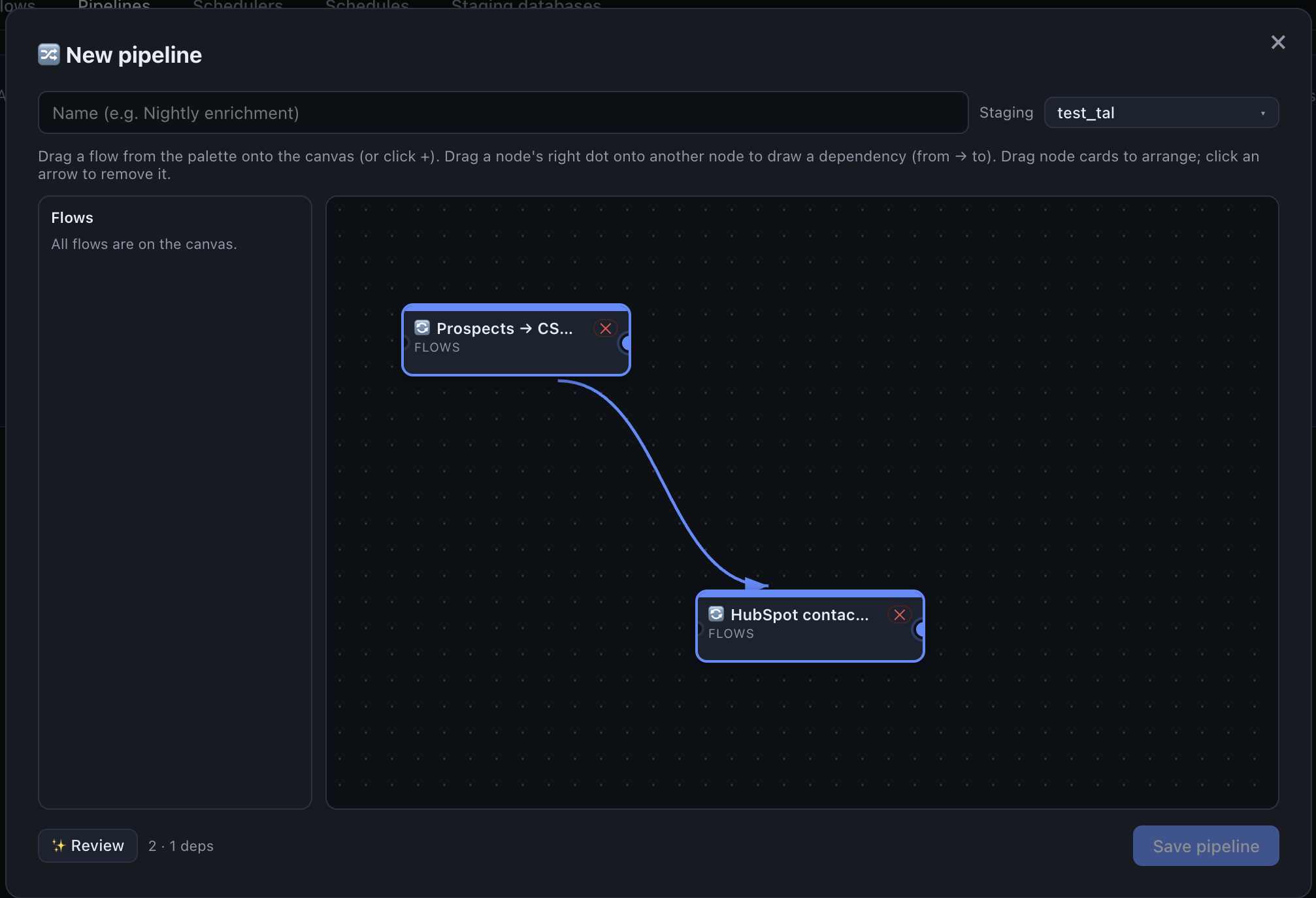
A pipeline wires flows into a directed graph: edges mean "run after". Flows with no pending dependencies run in parallel; a flow whose upstream failed is skipped. Build it by dragging nodes and arrows, auto-layout, then run now or on a schedule.
Register a staging DB as a source and its flow-target tables become discoverable entities — so the thing you just built with ETL is immediately queryable through the semantic layer and MCP.
Streamer (real-time events)
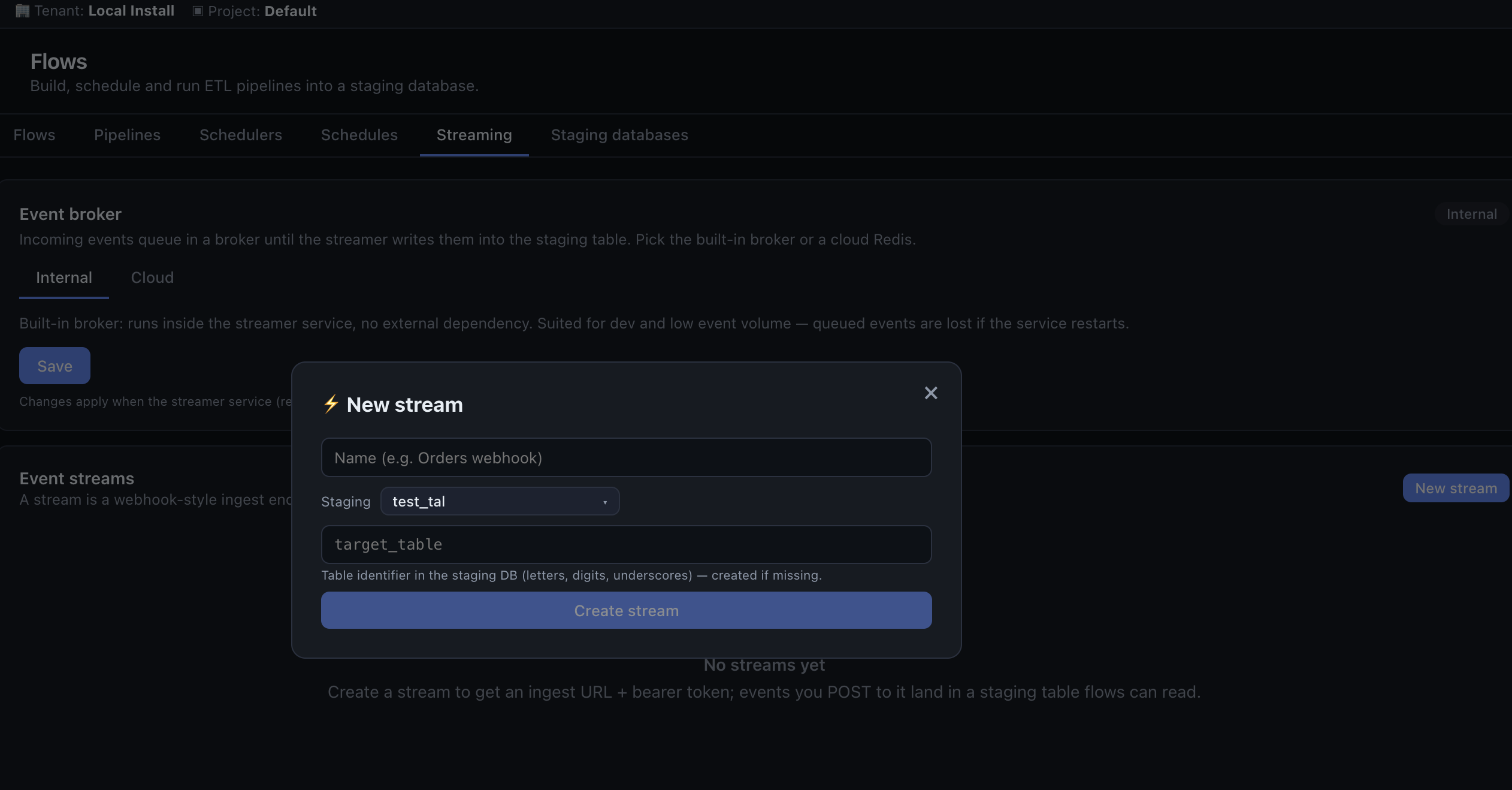
The Streamer ingests a live stream of JSON events into a staging table. External systems POST events to an ingest URL; the streamer queues them on a broker and micro-batches them into an append-only target that's immediately queryable.
To use it: define a stream (name + staging DB + target table) in the app. You get an ingest path and a token (shown once). Producers POST single events or batches; the consumer flattens each event (top-level fields become columns) and appends it. Delivery is at-least-once. The broker is either internal (in-memory, single instance) or a managed cloud Redis for production — configured in Settings.
Use Streamer when data arrives continuously (webhooks, telemetry, app events) rather than on a schedule.
Data API
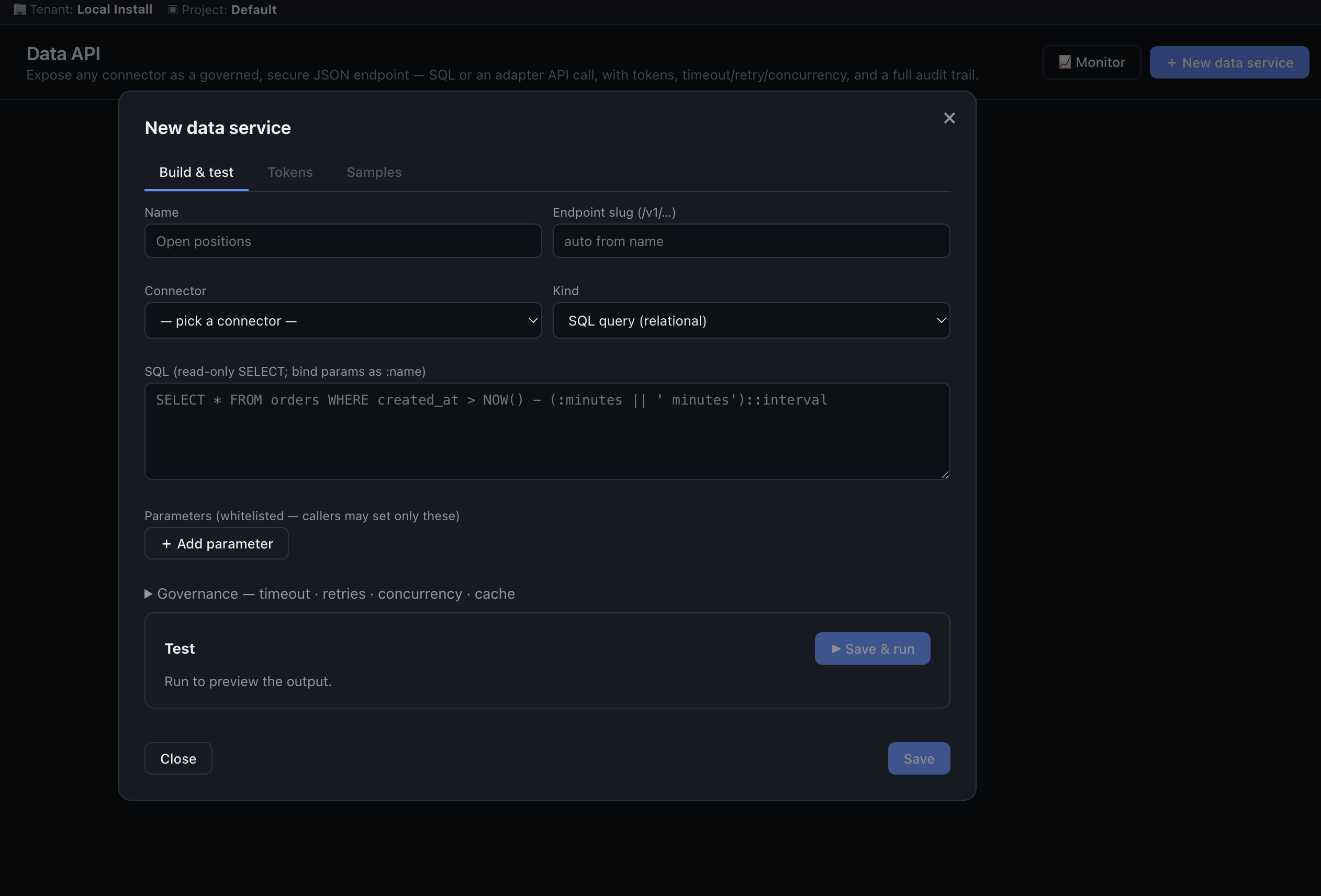
The Data API turns a connector into a governed, read-only JSON endpoint — an API-gateway/ESB layer for data-out. You define a service once; consumers call it with a bearer token and only the parameters you allow. No raw SQL is ever exposed.
A service has a kind:
- sql — a stored
SELECTon a relational source, parameters bound as:nameplaceholders; - routine — a stored procedure or SAP BAPI call;
- api — a SaaS object fetch (e.g. HubSpot contacts).
You can shape the output with a mediation transform — filter rows, cast columns, add computed columns, and select/rename — and set concurrency, timeout, retries, a per-service rate limit, and an optional dedicated connection pool (so a heavy service can't starve another's connections). Test the service before publishing.
Tokens are hashed (never stored in plaintext), can expire, and can be rotated (a successor is minted with a grace window) or revoked. Callers may only pass the parameters you declared — never arbitrary SQL — and HTTPS is enforced in production; a per-service rate limit sheds excess load with a 429.
Beyond a simple synchronous call, a service can:
- Page large extracts —
?offset=N&limit=M; the responsemeta.next_offsettells the caller when to fetch the next page, so you can pull millions of rows in bounded-memory pages. - Run asynchronously —
?async=1returns a job id to poll; the call runs on a durable Postgres-backed queue (retries, dead-letter) instead of holding the request open. - Pull on a schedule — set a cadence (e.g. every 5 minutes) and AgentData enqueues the call automatically — a lightweight scheduled sync.
Every call is audited; the Data API monitor shows queue depth, per-service call counts, error rates and p95 latency, and recent calls (see Monitoring).
Choosing between them
- Flows — scheduled/batch transform and load, cross-source joins, write-back, orchestrated pipelines.
- Streamer — the moment data arrives continuously and you want it landed and queryable in near-real-time.
- Data API — you want other systems to pull governed data out, with tokens, expiry and per-parameter control.
- Querying — a human or agent just needs an answer, read-only, right now.
They compose: a Streamer lands events → a Flow enriches and joins them → the result is exposed via the Data API and queried through MCP.
Next steps
- Adapters — the sources and targets flows connect to
- Monitoring — watch flows, streams and Data API health
- Administration — staging DBs, ETL runtime settings, and who can do what