AgentData
AgentData is a semantic layer for your databases. Point it at a database (read-only), and it auto-discovers your business entities — Customer, Order, Product — and the metrics that matter, like revenue or order count. From then on, anyone (or any AI agent) can ask questions in plain language and get back governed, accurate answers.
It serves those answers two ways:
- a REST API — see the API Reference
- an MCP server — so tools like Claude, ChatGPT and IDEs can query your data directly
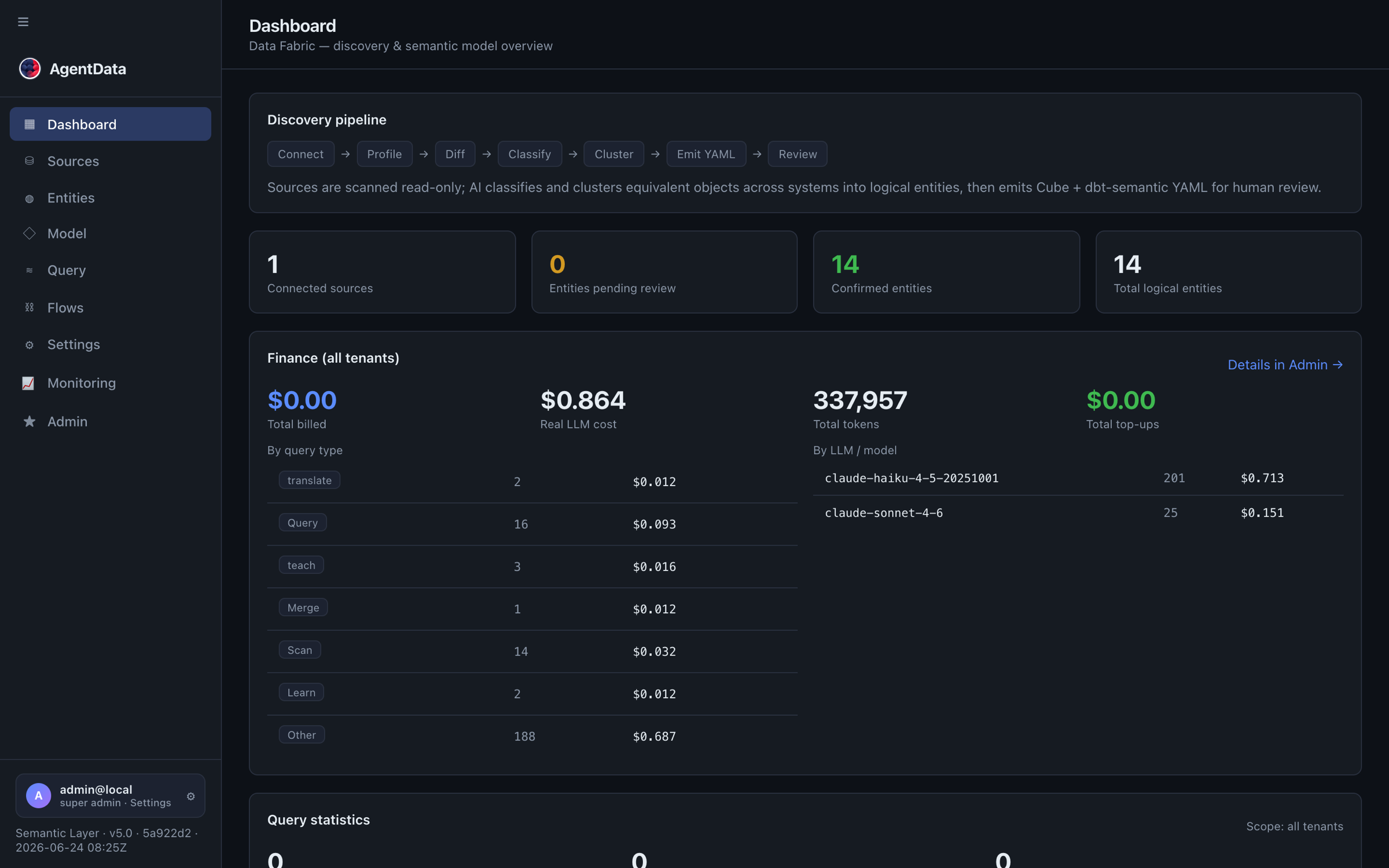
The dashboard shows the discovery pipeline (Connect → Profile → Diff → Classify → Cluster → Emit YAML → Review) and the state of your model at a glance — connected sources, entities pending review, and confirmed entities.
Why it exists
Until now, people consumed data through dashboards someone built in advance. AgentData flips that: instead of a fixed BI report, a CEO can ask "top 5 products by revenue this quarter" and get a private, on-demand answer — without a BI analyst in the loop and without writing SQL.
How it keeps data private
This is the core design principle:
Only your semantic model (entity, attribute and measure names) and your question reach the LLM. Row data never does.
The LLM turns your question into a structured query against the model. That query runs locally against your database, and only the result comes back to you. Combined with read-only adapters and encrypted credentials, this makes AgentData safe to run against production and sensitive data — including fully air-gapped / self-hosted deployments.
What you get
| Capability | What it means |
|---|---|
| Auto-discovery | Scans your schema and proposes entities, measures and dimensions — you review and approve. |
| Natural-language queries | Ask in any language; AgentData plans, validates and executes a governed query. |
| Structured metric queries | Precise {entity, measures, dimensions, filters, time_range} queries for apps and pipelines. |
| Governance | Approve/reject entities, save and version queries, audit logs. |
| Federation | Query across multiple sources (via the built-in shim, or Cube + Trino for exact cross-source joins). |
| MCP-native | Expose your data to any MCP client with a per-user API key. |
Finding your way around
The app's sidebar reads as a flow, and these docs are grouped the same way:
| App section | What happens there | Docs |
|---|---|---|
| Connectors | Connect databases, warehouses, SaaS APIs, files, BI tools — read-only | Connect a database, Adapters |
| Catalog | Curate the business model: Entities (approve/rename/merge) and Model (the graph, relationships, saved star schemas) | Entities & the model |
| Conversation | Ask and answer: Query (NL + metric queries) and Reporting (BI import, Builder, publish) | Querying, Reporting |
| Agent Flows | Automate: Flows (ETL, pipelines, schedules) and Data API (governed JSON endpoints) | Data movement |
| Documents Automation | Connect folders, upload originals, label templates, extract and review results, and monitor processing | Documents Automation |
| Settings & Monitoring | Admin: configuration, users, security policy, live monitoring | Administration, Monitoring |
Next steps
- Quickstart — connect a database and run your first query
- Quick starts — four ~10-minute walkthroughs, one per app section
- Core concepts — entities, measures, the semantic model
- Querying — natural-language vs structured metric queries