Connect a database
AgentData reads your data read-only. It profiles the schema and stores metadata in its own registry — it never copies rows into the registry.
Supported sources
| Category | Sources |
|---|---|
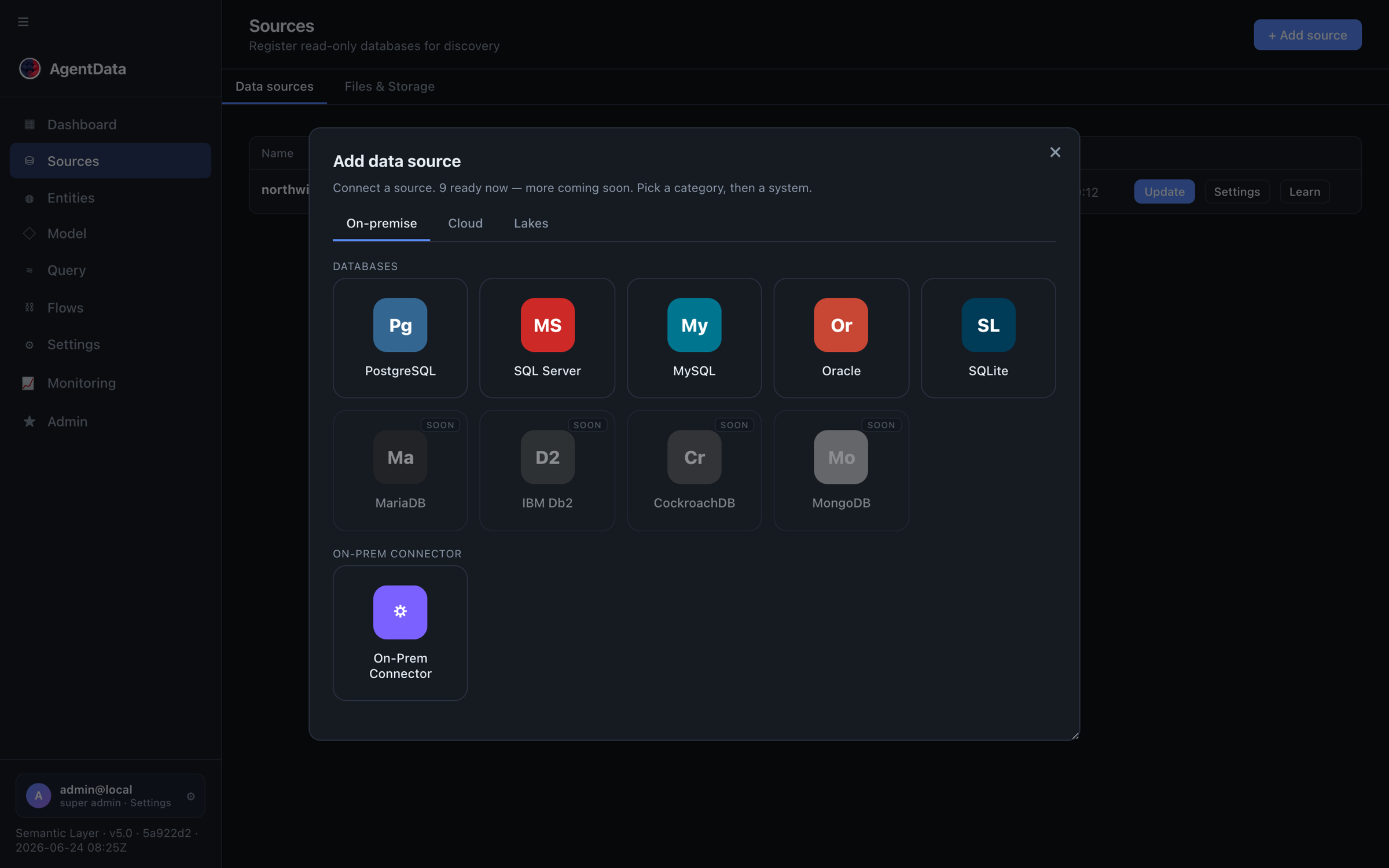
| Relational | PostgreSQL, MySQL, SQL Server, Oracle, SQLite |
| Warehouses | Snowflake, Redshift, Azure Synapse |
| Lakes | AWS S3 (+ Glue / Athena), Azure Blob Storage |
| SaaS APIs | HubSpot, Hunter.io, Apollo.io |
| On-prem | Outbound-only agent connector that runs inside your network |
To see exactly what's available in your deployment, call GET /api/sources/types, or open Connectors → + Add source and browse the On-premise, Cloud and Lakes categories:
Register a source
In the app: Connectors → Add. Or via the API:
curl -X POST https://agentdata.mdm.biskilled.com/api/sources \
  -H "Authorization: Bearer agentdata_sk_…" \
  -H "Content-Type: application/json" \
  -d '{
        "name": "warehouse",
        "type": "snowflake",
        "conn_str": "snowflake://readonly@account/db/schema?warehouse=wh"
      }'
You can validate a connection before registering it with POST /api/sources/test.
Give AgentData a database user that can only SELECT. The adapters enforce read-only as well, but a least-privilege credential is good defence in depth. Credentials are encrypted at rest with Fernet.
Scan it
A scan profiles tables, classifies columns (including PII detection), and proposes entities:
curl -X POST https://agentdata.mdm.biskilled.com/api/discovery/scan/{source_id} \
  -H "Authorization: Bearer agentdata_sk_…"
Pass fresh=true to rescan from scratch. Check progress with GET /api/discovery/scans.
Review the model
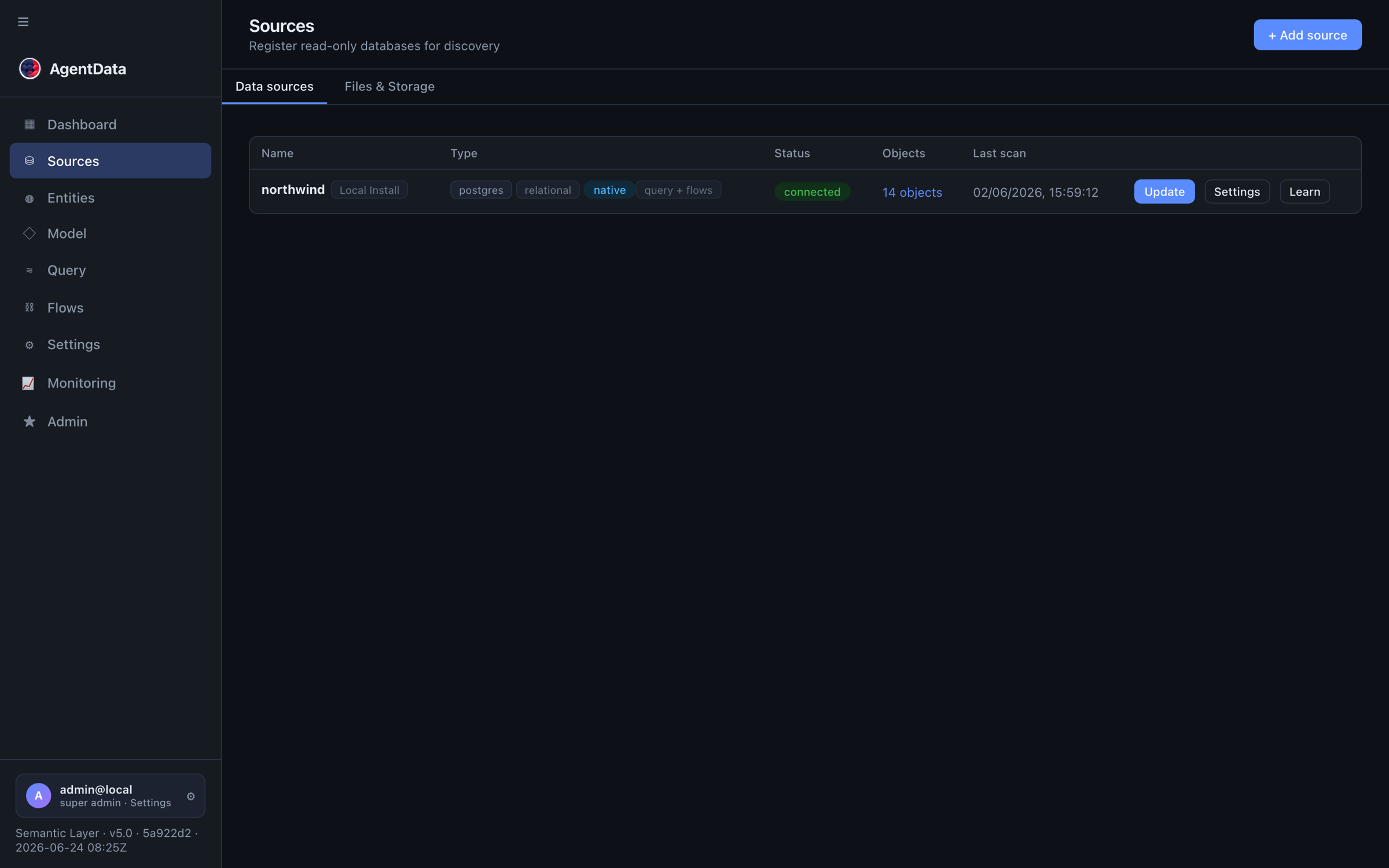
Registered sources show their type, family and connection status in the Sources list:
After a scan, open Catalog → Entities to approve, rename, merge, split, or add calculated columns. Only confirmed entities are queryable. See Core concepts for what each field means, then head to Querying.