Adapters & source types
An adapter is the piece of AgentData that knows how to talk to one kind of system: how to connect, how to list objects, how to profile a schema, and how to run a read query. Every source you register is backed by an adapter, and every adapter is read-only by default — it discovers metadata and returns query results, but never mutates your data unless you explicitly build a write flow.
Adapter categories
Source types are grouped into families. The family decides which adapter implements it and which engine runs its queries.
| Category | What it is | Source types | Query engine |
|---|---|---|---|
| Relational | Transactional SQL databases | postgres, mysql, sqlserver, oracle, sqlite | Native (push-down SQL), or Trino when federated |
| Warehouse (multidimensional) | Cloud analytical warehouses | snowflake, redshift, synapse | Native, or Trino when federated |
| Lake | Object stores catalogued for query | s3 (+ AWS Glue), azure_blob | Athena |
| File stores | Flat files as a source or target | CSV on local disk, S3, GCS, Azure Blob | Read directly by flows |
| SaaS API | Business apps over REST | hubspot, hunter, apollo | Adapter fetch + Python aggregation |
| MCP-based | Any server that speaks the Model Context Protocol | e.g. HubSpot MCP | Adapter fetch (OAuth-authorised) |
| ERP | SAP business logic over RFC | sap_rfc | Adapter call (function module / BAPI) |
| Finance | Exchanges, brokers, wallets, open banking | ccxt, trading212, ibkr_flex, evm_wallet, solana_wallet, saltedge | Canonical holdings fetch |
| On-prem agent | A connector you install that reaches private systems | agent | Runs the above locally, in your network |
You never pick a family directly — you pick a source type in Connectors → + Add source, and AgentData routes it to the right adapter and engine automatically.
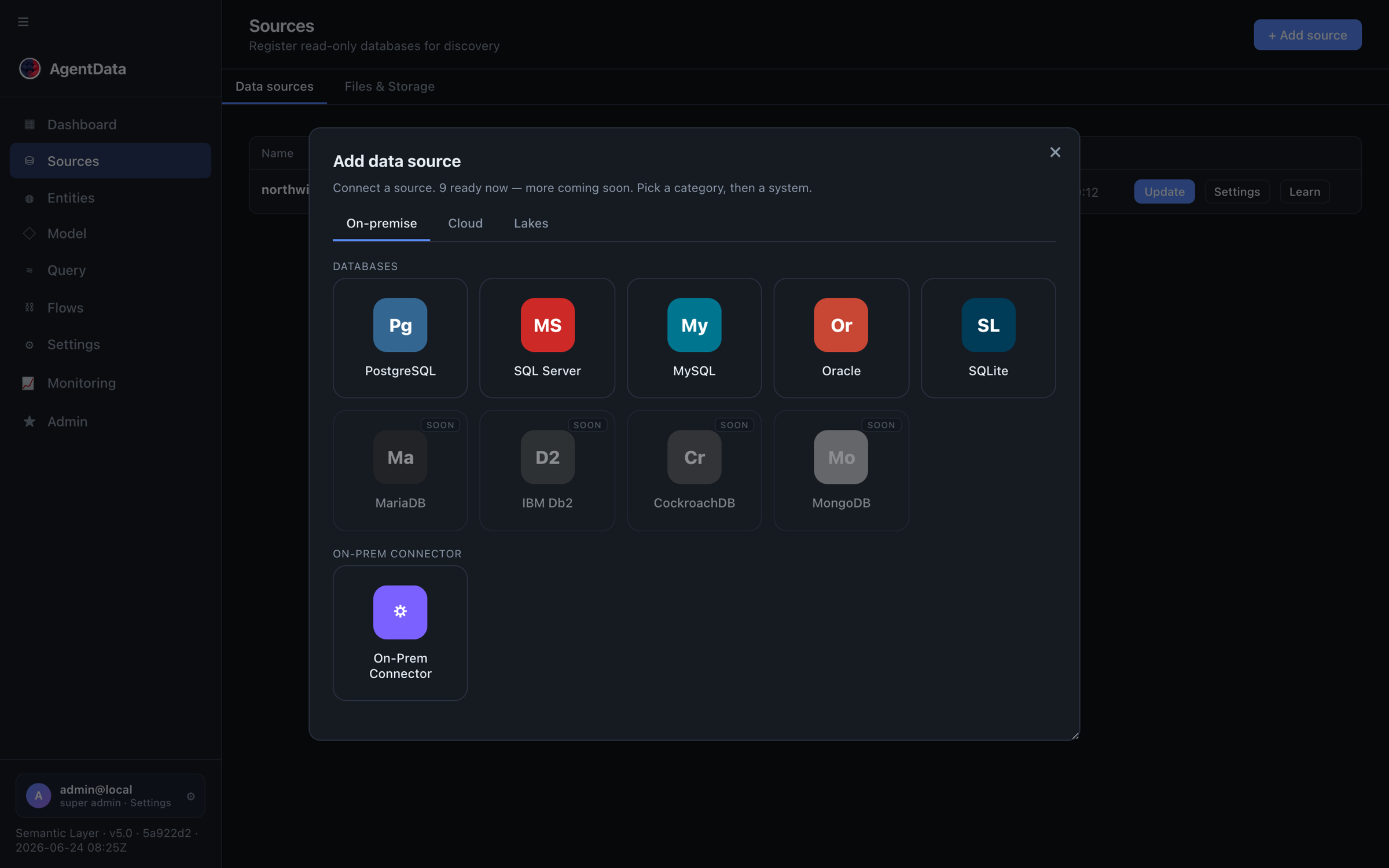
Lake discovery (schema from the AWS Glue catalog) is available; lake query execution through Athena is being wired up and needs sources.engines.athena.s3_staging_dir set. Azure Blob listing is scaffolded. These are marked in the app.
Capabilities: read, execute, write
When AgentData connects with your credentials, it inspects what that credential is actually allowed to do and surfaces it as capability pills on the source:
- read — list objects, profile schemas, run
SELECT. Always on for a working connection. - execute — call stored procedures / functions (only if the DB user holds
EXECUTE). - write — insert/update/delete or write back to a SaaS object (only used by explicit write flows, never by querying).
The credential's real privileges are the safety gate: if the account can only SELECT, execute and write stay off no matter what the UI offers. Give AgentData a least-privilege, read-only login and it physically cannot do more.

Relational & warehouse adapters
These share one SQLAlchemy-based adapter. Connection strings are standard SQLAlchemy URLs; the connection form collects host/port/database/user/password (or, for Snowflake, account/warehouse/role). Discovery reads information_schema (or the vendor catalog), maps column types, samples values for pattern detection (email/uuid/phone/url → helps PII flagging), and computes table vitality. Queries are pushed down as native SQL in the source's own dialect.
SQLite is the one special case — it takes a file path rather than host/port.
curl -X POST https://agentdata.mdm.biskilled.com/api/sources \
  -H "Authorization: Bearer agentdata_sk_…" \
  -H "Content-Type: application/json" \
  -d '{"name":"warehouse","type":"snowflake",
       "conn_str":"snowflake://readonly@account/db/schema?warehouse=wh&role=ro"}'
SaaS API adapters — HubSpot, Hunter, Apollo
API sources don't have tables — they have objects. The adapter fetches records over REST, infers a flat schema from the fields returned, and runs any grouping/filtering in Python (there's no SQL push-down).
| Adapter | Type | Objects | Auth | Capabilities |
|---|---|---|---|---|
| HubSpot | hubspot | contacts, companies, deals, tickets | Private-App token or OAuth 2.1 + PKCE (MCP) | read + write-back |
| Hunter.io | hunter | people (domain search) | API key | read |
| Apollo.io | apollo | people (domain search) | API key | read |
- HubSpot discovers up to ~90 properties per object (priority fields like
email,amount,createdateare always kept) and can authenticate two ways: paste a Private-App token, or run the OAuth 2.1 flow against HubSpot's MCP server. - Hunter and Apollo are enrichment/prospecting sources: give them a company domain and they return the people found there. They're the engine behind the lead-enrichment use case. Their default domains are set per-adapter in Admin → Adapters.
Prospecting sends company/domain names to a SaaS API and (for classification) to the LLM. A tenant's security policy can turn allow_prospecting off to block it entirely.
MCP-based adapters
Some sources are reached through a Model Context Protocol server rather than a bespoke REST client. AgentData stores the connection's auth_mode and an mcp_config blob (server URL, client id/secret, and encrypted OAuth tokens) on the source. Two auth modes exist:
oauth_mcp— a full OAuth 2.1 + PKCE authorisation: you consent in the provider, AgentData exchanges the code for access + refresh tokens, stores them encrypted, and auto-refreshes them at query time. HubSpot supports this.api_key— the API key doubles as the bearer token (Hunter, Apollo), with an optional MCP server URL.
This is also how AgentData itself is exposed to MCP clients — see MCP server.
BI & reporting adapters — Power BI, Tableau, Qlik, OBIEE, Google Sheets, Metabase
BI connections are metadata connections: they import a tool's report definitions (not data) so every report field can be mapped onto the semantic model, and they receive reports composed in AgentData. Four tools import (Power BI, Tableau, Qlik, OBIEE — via metadata upload or a live API/SOAP connection) and two are publish-only targets (Google Sheets via a service-account key, Metabase via host + API key). Each is a normal self-contained adapter with its own skill file guiding the lineage mapper.
The whole workflow — importing, field-level lineage, composing and publishing — lives in Reporting & BI intelligence.
SAP R/3 adapter
The SAP adapter (sap_rfc) connects to SAP R/3 / S/4HANA over RFC — the ABAP Remote Function Call protocol. Instead of tables, SAP exposes function modules and BAPIs (callable business logic), plus table reads via the standard RFC_READ_TABLE.
- Discovery curates a set of function modules (e.g.
BAPI_CUSTOMER_GETLIST,BAPI_MATERIAL_GETLIST,BAPI_SALESORDER_GETLIST). Each callable's IMPORT parameters — read viaRFC_GET_FUNCTION_INTERFACE— become its "columns". - Querying calls the function module with parameters and returns its first TABLE export as rows (or scalar exports as a single row).
- Capabilities are
read + execute, write off by design (noBAPI_TRANSACTION_COMMIT). - Configuration is a small JSON connection:
ashost,sysnr,client,user,passwd,lang, and optionally asaprouterstring for firewalled systems.
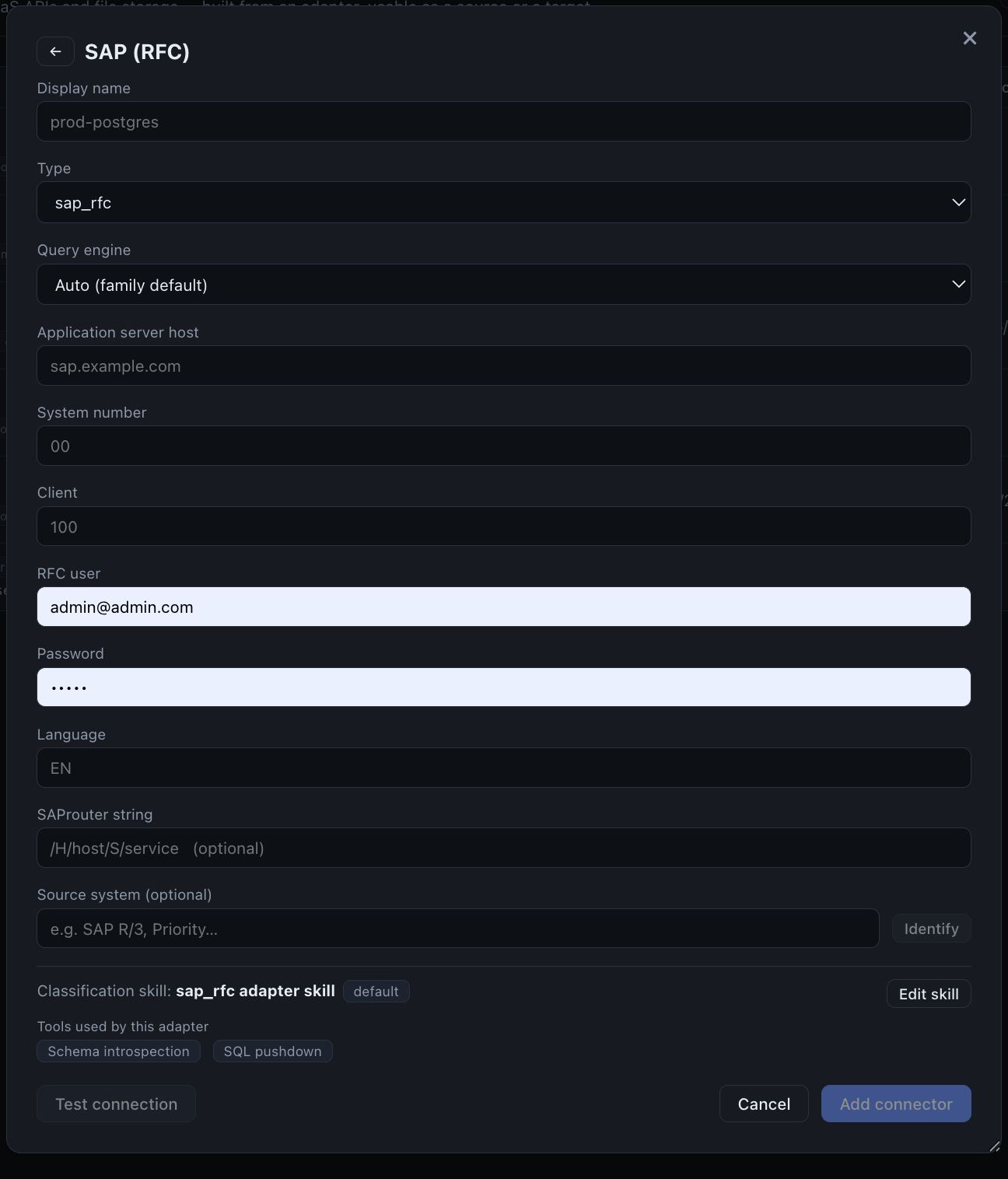
SAP RFC needs SAP's licensed NW RFC SDK plus pyrfc, which only run on the on-prem connector. Your SAP credentials and traffic stay inside your network; only the query result leaves. See the replace-ETL-with-SAP use case.
Stored procedures
Relational stored procedures/functions and SAP function modules share one idea — callable objects:
- Discovery finds them (relational adapters read
information_schema.routines/parameters; SAP reads the RFC interface). Each becomes an object withobject_type = procedure(orfunction), and its parameters become its schema. - Gating — the execute capability is the hard gate. If the credential lacks
EXECUTE, the "run" action is disabled in the UI and refused by the backend. - Execution runs the procedure in a read-only transaction where the dialect allows, so an accidental write fails safely. The dialect determines the call form (
CALL …,EXEC …, orSELECT * FROM func(…)).
This is exactly the pattern SAP reuses — a BAPI is just a callable object gated by the RFC user's SAP authorisations. Procedures can also be published as a governed Data API endpoint.
Finance adapters
The finance family connects to exchanges, brokers, wallets, and open-banking aggregators and normalises everything into one canonical holdings table: source · account · asset · asset_type · quantity · price · value · currency · as_of. It is strictly read-only (no trades/transfers), and it fails safely — a fetch it can't complete raises a clear error rather than inventing balances; a genuinely empty account returns an empty list.
Providers: ccxt (crypto exchanges), trading212, ibkr_flex (Interactive Brokers), evm_wallet/solana_wallet (on-chain balances), and saltedge (open banking).
On-prem connector
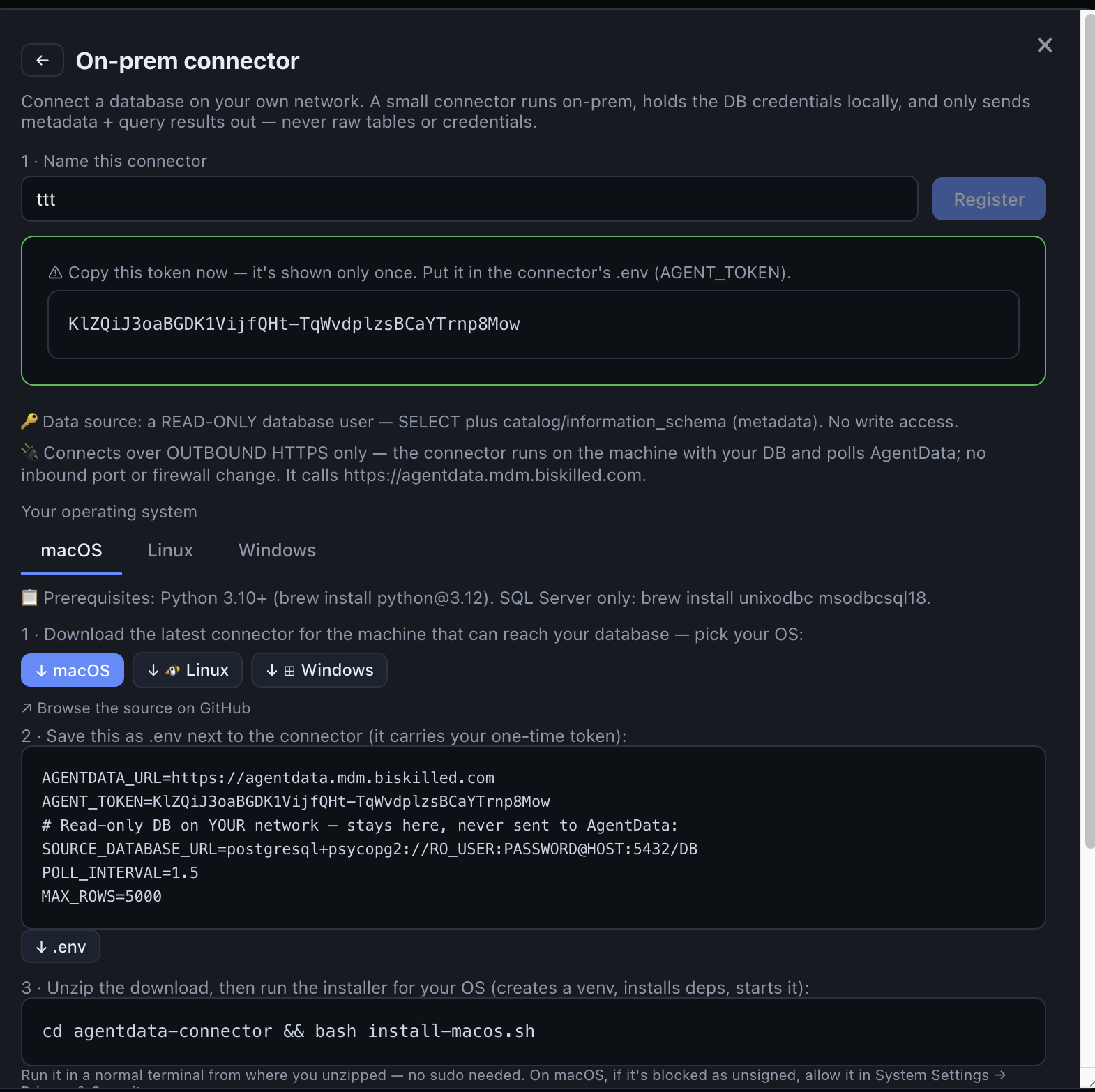
For databases and files that must never be exposed to the internet, install the connector — a small app that runs inside your network and talks to AgentData outbound-only.
- No inbound port, no firewall change. The connector polls AgentData over outbound HTTPS and executes jobs locally.
- What leaves your network: schema metadata and query results only. Database credentials stay on-prem.
- A connector self-reports its engine (postgres/mysql/mssql/sqlite) and role — source (read your DBs), staging (host flow control tables + targets), or both — so the UI only offers connectors that fit.
- Register one in the admin area; you receive a token (shown once). Create a source of type
agentand point it at the connector.
How an adapter is built (and extended)
Each adapter is self-contained under backend/adapters/<type>/:
- a class (connect · list objects · profile · run query · optional
capabilities/call_routine/write_records), - an
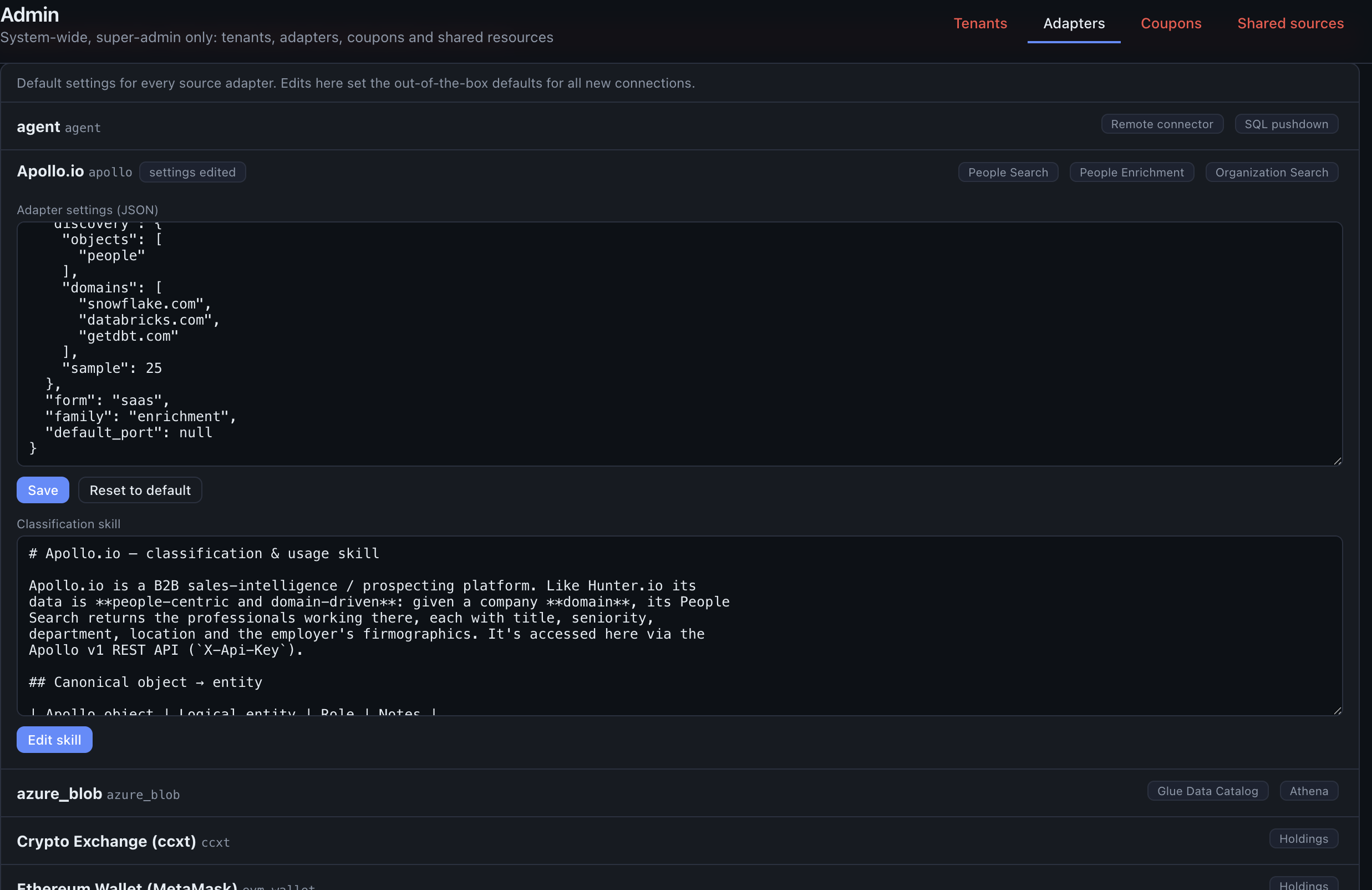
adapter.yaml— shipped defaults: auth modes, API endpoints, discovery objects, MCP config, - a
skill.md— a short reference the classifier reads to interpret this system's objects and columns better (see classification skills).
A super-admin can tune any adapter live from Admin → Adapters — edit its skill markdown or override settings (API base URL, discovery sample size, timeouts, MCP scopes). Overrides are stored in the registry (deep-merged over the shipped file) so they survive restarts and never put secrets in code.
Next steps
- Connect a database — register and scan a source
- Entities & the semantic model — how a scanned schema becomes a queryable model
- Data movement — flows, streaming and the Data API
Folder documents and delegated identities
The Documents Automation workspace attaches existing tenant-owned, project-visible local POSIX, S3 and on-prem file stores. On-prem document operations require the current backend bundle and connector 1.2.0 or later. Windows safe document reads are not yet supported.
The existing Fabric service-principal SQL connection is shared workload authentication; it does not imply Entra SSO, REST OBO or AD user delegation. See Enterprise identity & Active Directory for the planned source-specific modes.