Entities & the semantic model
AgentData's job is to turn raw tables scattered across systems into one business model you can query by name. This page explains how that model is built, how the same concept in several systems becomes a single entity, and — crucially — how primary keys make the whole thing hang together as a semantic layer.
The discovery pipeline
When you scan a source, it runs through a pipeline. You review the output; nothing becomes queryable until you confirm it.
- Profile reads each table's columns, types, sample values and declared keys, and records vitality.
- Diff compares against the last scan so only new or changed objects cost an LLM call.
- Classify assigns business tags, a role (fact or dimension), and PII flags — heuristics first, refined by the LLM when a key is configured.
- Cluster collapses the same concept across sources into one entity (see unified sources).
- Relate infers joins from declared foreign keys and shared keys.
- Emit generates the Cube/dbt model artifacts.
Object vitality
Not every table is worth modelling. Profiling tags each object as empty (0 rows), stale (no recent activity), low (rarely updated / tiny), or active. Empty tables can be skipped automatically, and vitality feeds the fact/dimension decision — an actively-growing table is a good fact candidate.
Classification
Classification is tag-driven and can be sharpened with per-system skills — short markdown references (shipped per adapter, editable in Admin → Adapters) that tell the classifier how a given system names things. PII detection flags sensitive columns (email, national id, names) so they can be handled carefully downstream.
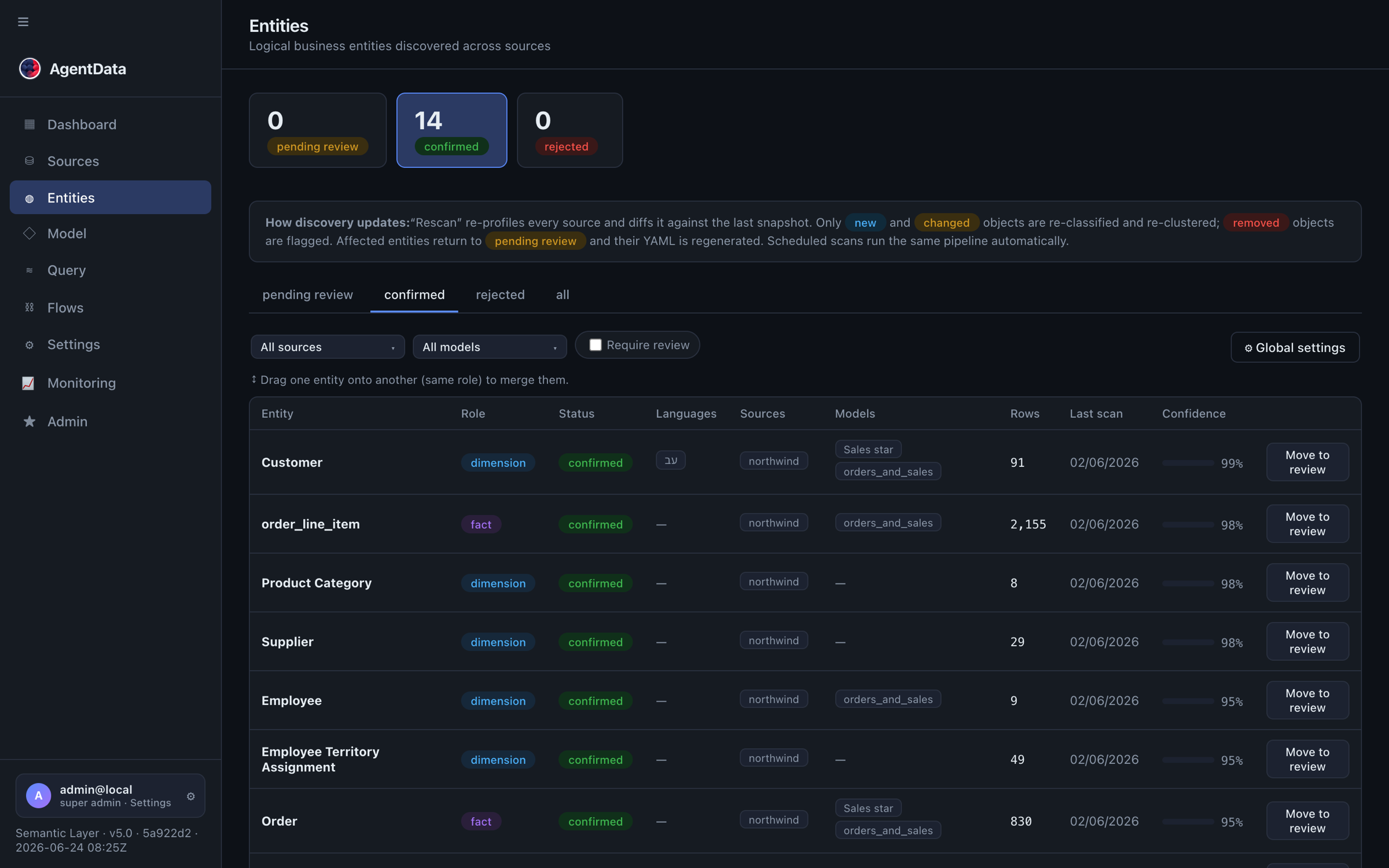
Entities: facts, dimensions, lifecycle
An entity is a business object. Each has a role:
- Fact — measurable events (Orders, Sales, Transactions); carries measures like amount or quantity.
- Dimension — descriptive context (Customer, Product, Location); groups and filters facts.
Entities move through a lifecycle — pending_review → confirmed — with optional rejected or archived. Only confirmed entities are queryable. When new data drifts into a confirmed entity, it isn't silently reopened; it's flagged needs review so a stable model doesn't change under you.
Unified sources
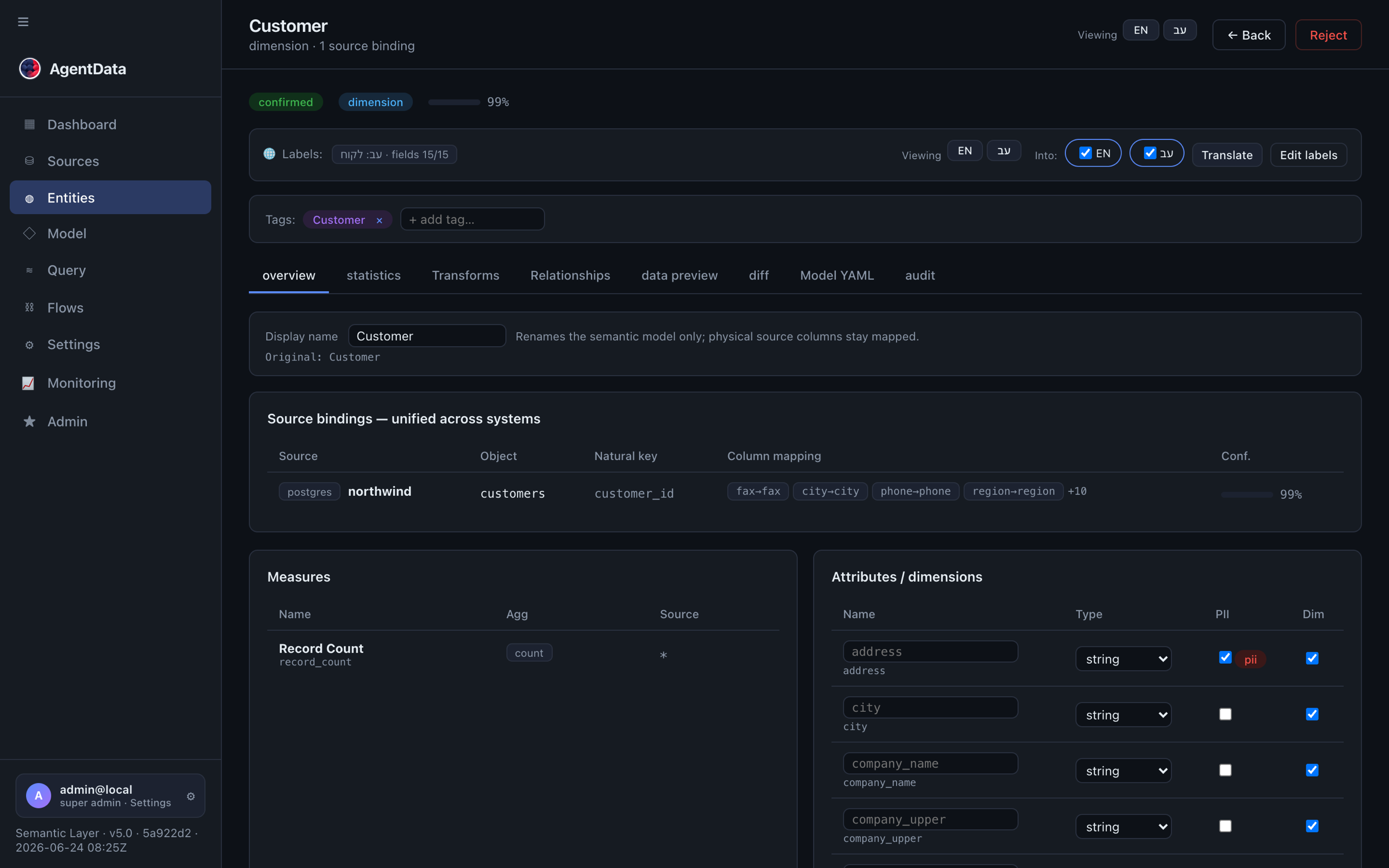
The same concept — say Customer — usually lives in several systems under different table and column names. AgentData collapses them into one entity with multiple bindings, one binding per physical table. A column map on each binding lines its real columns up with the entity's canonical attribute names.
Query Customer and you transparently query the union of all three tables, with columns aligned. You unify entities by dragging one onto another in the Entities list or the Model graph, choosing how they combine:
- union — stack rows from each source (the same customers across systems),
- join / add columns — one binding is the base; others enrich it with extra columns via a shared key.
You can also attach a physical table that discovery missed directly to an entity. For denormalised or roll-up structures there's an explicit parent–child hierarchy relationship (a child rolls up to at most one parent).
Attributes, measures & calculated columns
- Attributes are the dimensions/descriptors — each has a canonical name, the physical column it maps to per source, a type, and a PII flag.
- Measures are aggregatable metrics:
sum,avg,count,count_distinct, or a SQL expression such asprice * qty * (1 - discount). Facts with price and quantity get a computed revenue measure automatically. - Calculated / transform columns are derived columns defined by a SQL expression over a table's real columns (e.g.
amount * (1 - discount)→revenue_net). They're folded into the column map so they work on every engine, and they survive rescans. - Teach-a-metric lets you describe a measure in words ("net profit is price minus cost, times quantity") and have AgentData propose the definition, which you approve once and everyone reuses.
Every entity, attribute and measure can carry multilingual labels (per-language display names), so the same model answers questions in English, Hebrew, and more.
Primary keys → the semantic layer
This is the heart of the model. A loose pile of tables becomes a semantic layer because primary keys give every entity an identity, and identities let entities join correctly.
Step by step:
- Detect — profiling extracts each table's declared primary key. If none is declared, a natural key (an
*_idcolumn, or the source's identifier) is used. - Promote — the PK columns are always kept as dimensions and marked
primary_keyin the generated Cube model — even if a column looked like a measure. Cube needs a stable identity per entity. - Relate — a fact's
customer_idmatching the Customer entity's key becomes a join. Declared FKs and shared keys are inferred; you can also draw joins by hand. - Count correctly — the PK is what lets Cube compute
count(distinct …)and one-to-many joins without double-counting. Without a marked key, "revenue by customer" would over-count a customer who has many orders; with it, the maths is exact. - Compose a star schema — facts in the middle, dimensions around them, joined on keys. Save a named star schema and export it as a runnable Cube YAML.
In short: PK → identity → correct joins → star schema → a model you can ask business questions of. That is the semantic layer.
Relationships
Joins between entities come from three places, in priority order:
- Manual — you draw an arrow in the Catalog → Model graph, or add a relationship in the Catalog → Entities → Relationships tab (pick both keys, cardinality, join type). Manual relationships win over inferred ones.
- Declared foreign keys — extracted from the database catalog; high confidence.
- Shared keys — a fact's
customer_id+ a dimension named Customer → inferred by heuristics and the LLM.
Before you commit a manual join you can validate it: a dry-run samples keys from both sides and reports how many overlap, so you know the join will actually match.
The Model graph & saved models
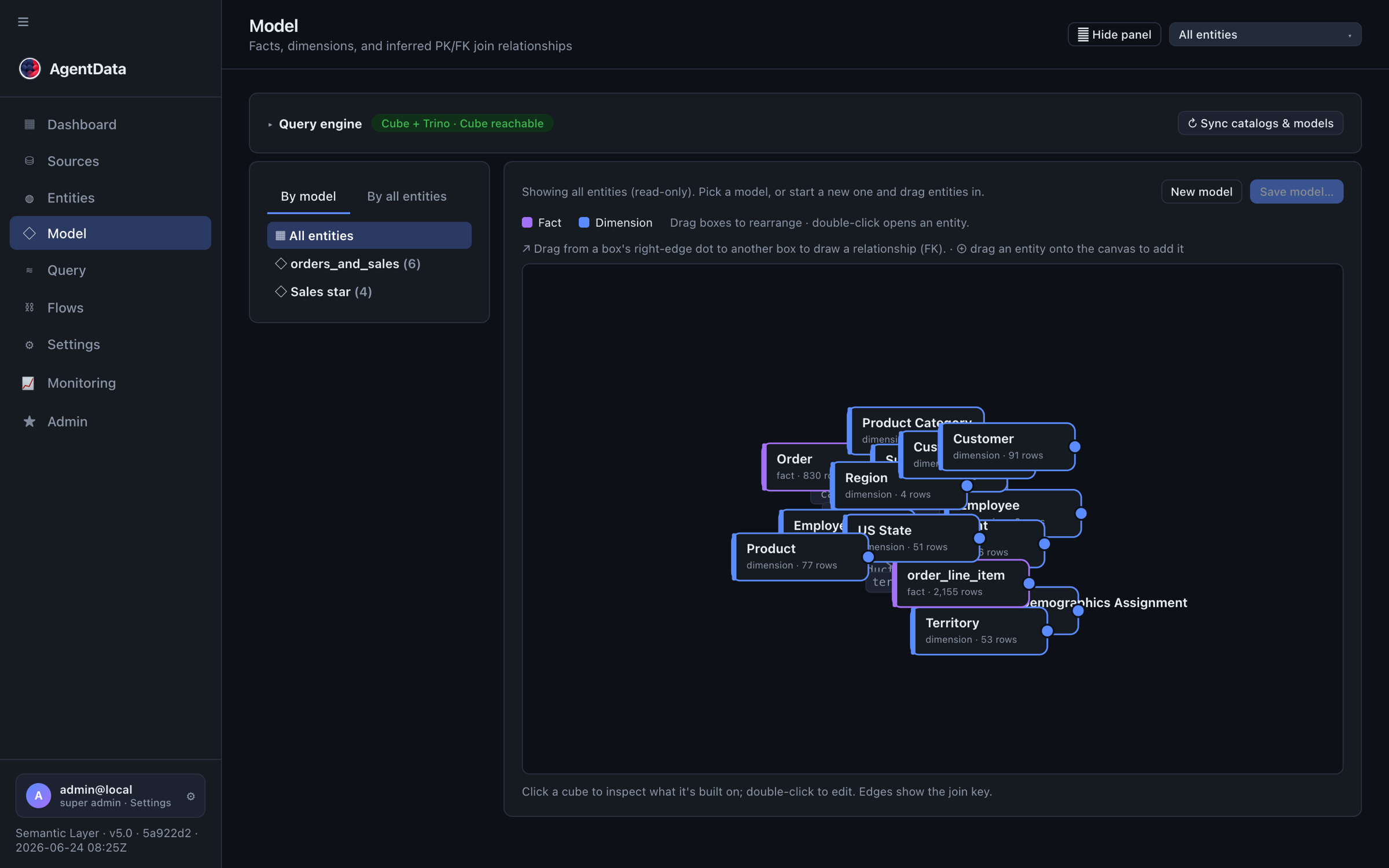
The Catalog → Model view is the whole semantic model on one canvas — facts and dimensions as nodes, joins as edges. Multi-select the entities you want (facts first; their dimensions are pulled in automatically), drag them into a layout, and save it as a named star-schema model. Each saved model can be exported as a complete Cube YAML you could run yourself.
Federation: how cross-source queries run
AgentData answers a query one of two ways:
- Shim (default) — pushes an aggregate down to each source and merges the partials in Python. Exact for
sum/count; approximate foravg/distinctacross sources (and it says so). - Cube + Trino (when federation is enabled) — Trino unifies the sources and Cube executes the joins, giving exact cross-source joins and measures.
Confirming entities or adding sources changes the model, so you re-run federation sync, which regenerates the Trino catalogs and Cube models from the registry. After that, a question like "revenue by customer country" can join a fact in Postgres to a dimension in Snowflake and get one correct answer.
Speeding up federated queries — pre-aggregations
For the federated (Cube + Trino) path, AgentData can maintain pre-aggregations — pre-computed OLAP rollups. Instead of re-running an aggregate against your sources every time, Cube materialises a rollup ahead of time (all of a fact's measures, grouped by its keys, time-partitioned by day) and serves matching queries from the rollup — the classic "store the aggregations for speed" idea, matched to your actual queries rather than a rigid hypercube.
This is the real performance lever for heavy, frequent fact queries (e.g. "revenue by customer by month"): the first run builds the rollup, subsequent runs are served from it. It's off by default and turned on per deployment when query volume and latency justify the extra storage + refresh — so a light workload stays simple, and a heavy one gets OLAP-grade speed without changing how you ask.
Pre-aggregations apply only to the Cube + Trino engine; the default single-source shim already pushes work down to the source. Ask your administrator whether they're enabled for your deployment.
Next steps
- Querying — ask questions against this model
- Training & feedback — how analysts optimise and govern queries
- Adapters — where the tables come from