Quick start 1 — model your data & ask questions
Goal: connect a database, turn it into a governed business model in the Semantic, and get trustworthy answers in the Conversation section. ~10 minutes.
Connectors: add + scan → Semantic: approve entities, wire the model → Conversation: ask, teach, save
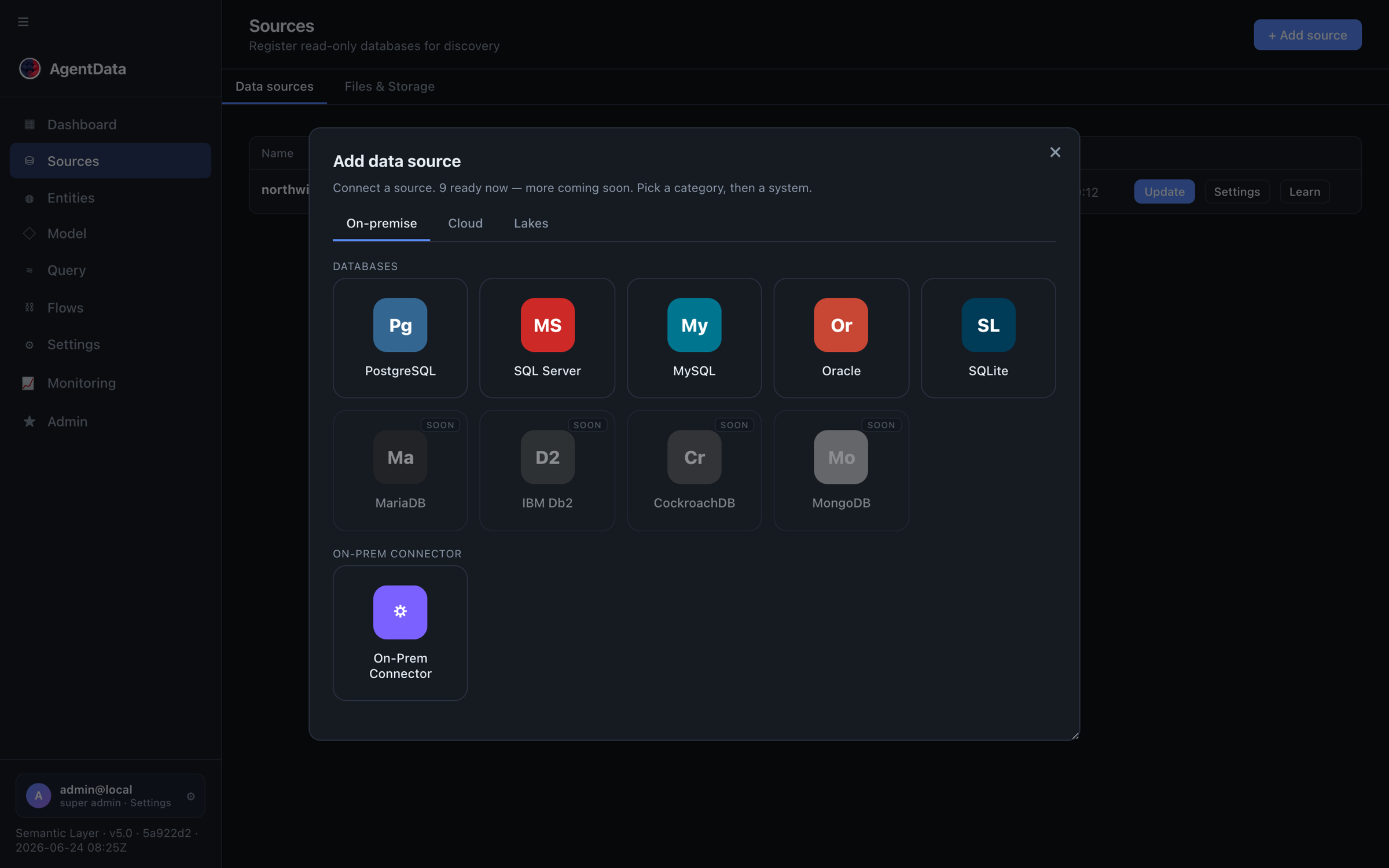
1. Connect and scan
Go to Connectors → + Add source, pick your database (or the bundled Northwind demo), and paste a read-only connection string. Then Scan: AgentData profiles every table, classifies columns, and proposes entities (Customer, Order, Product…) with measures and dimensions.
2. Curate the model (Semantic → Entities)
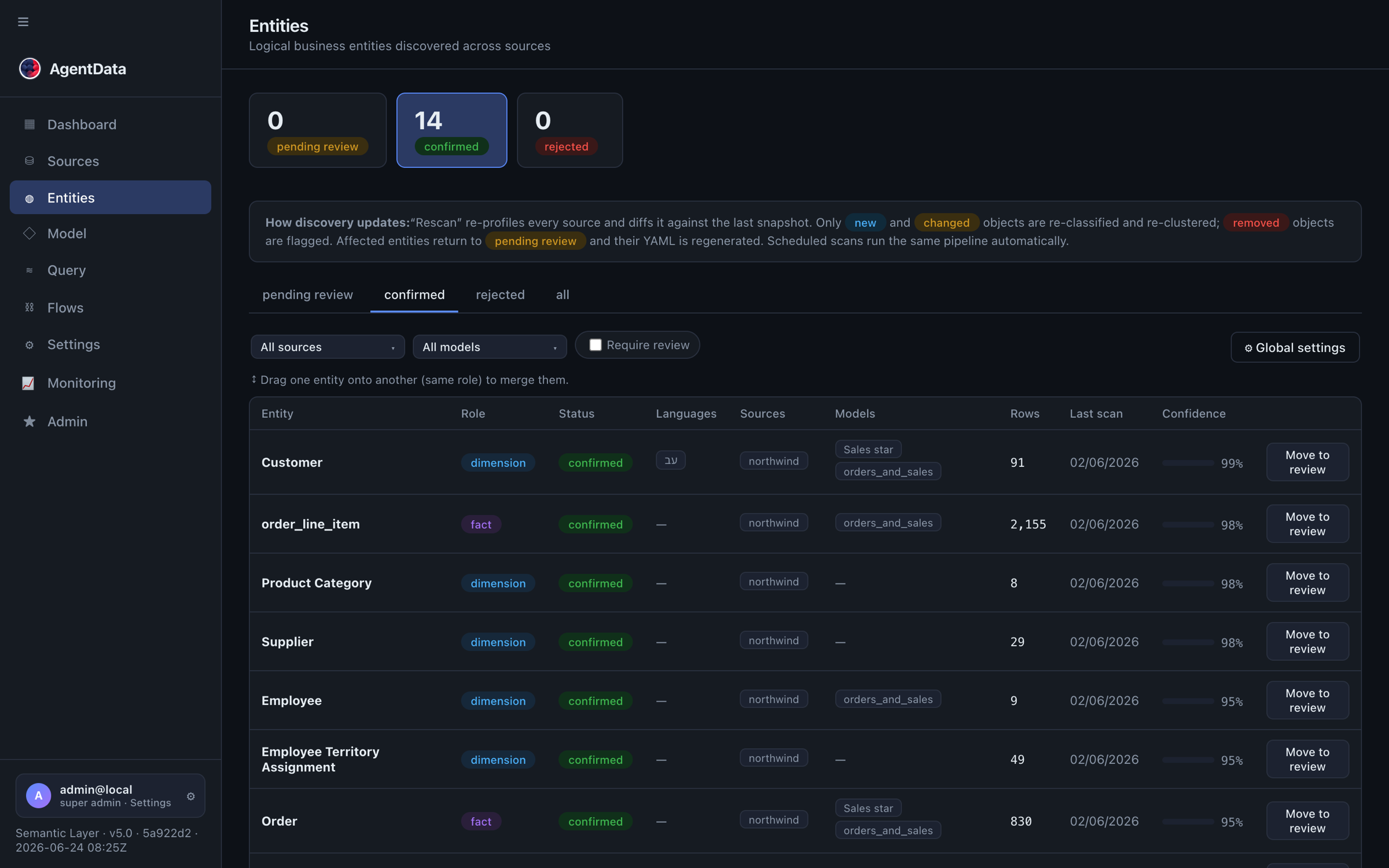
Open Semantic. The first tab, Entities, lists what discovery proposed — each entity starts as pending_review:
- Approve all what looks right; only confirmed entities are queryable.
- Rename entities and attributes to your business language (per-language labels are supported — English and Hebrew queries both work).
- Merge duplicates by dragging one entity onto another (union / join / add-columns — AgentData proposes the method), or split an over-merged one.
- Add calculated columns (e.g.
unit_price * quantityasline_total) — they behave like real columns everywhere.
3. Wire relationships (Semantic → Model)
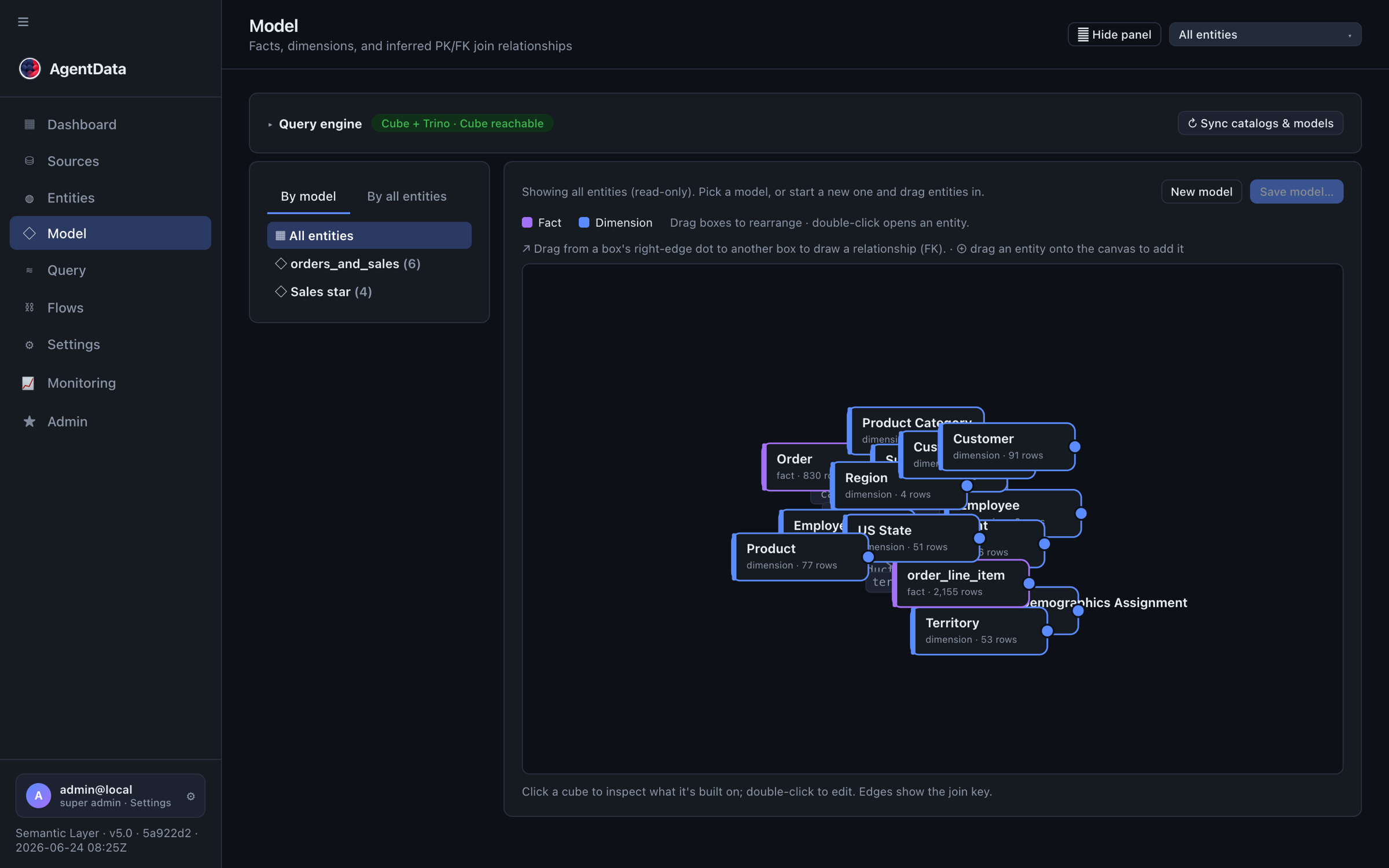
Switch to the Model tab — the whole model on one canvas, facts and dimensions as nodes, joins as edges:
- Missing join? Draw an arrow between two entities and pick the keys — manual relationships win over inferred ones.
- Multi-select the entities of one subject area and save the layout as a named star-schema model.
4. Ask questions (Conversation → Query)
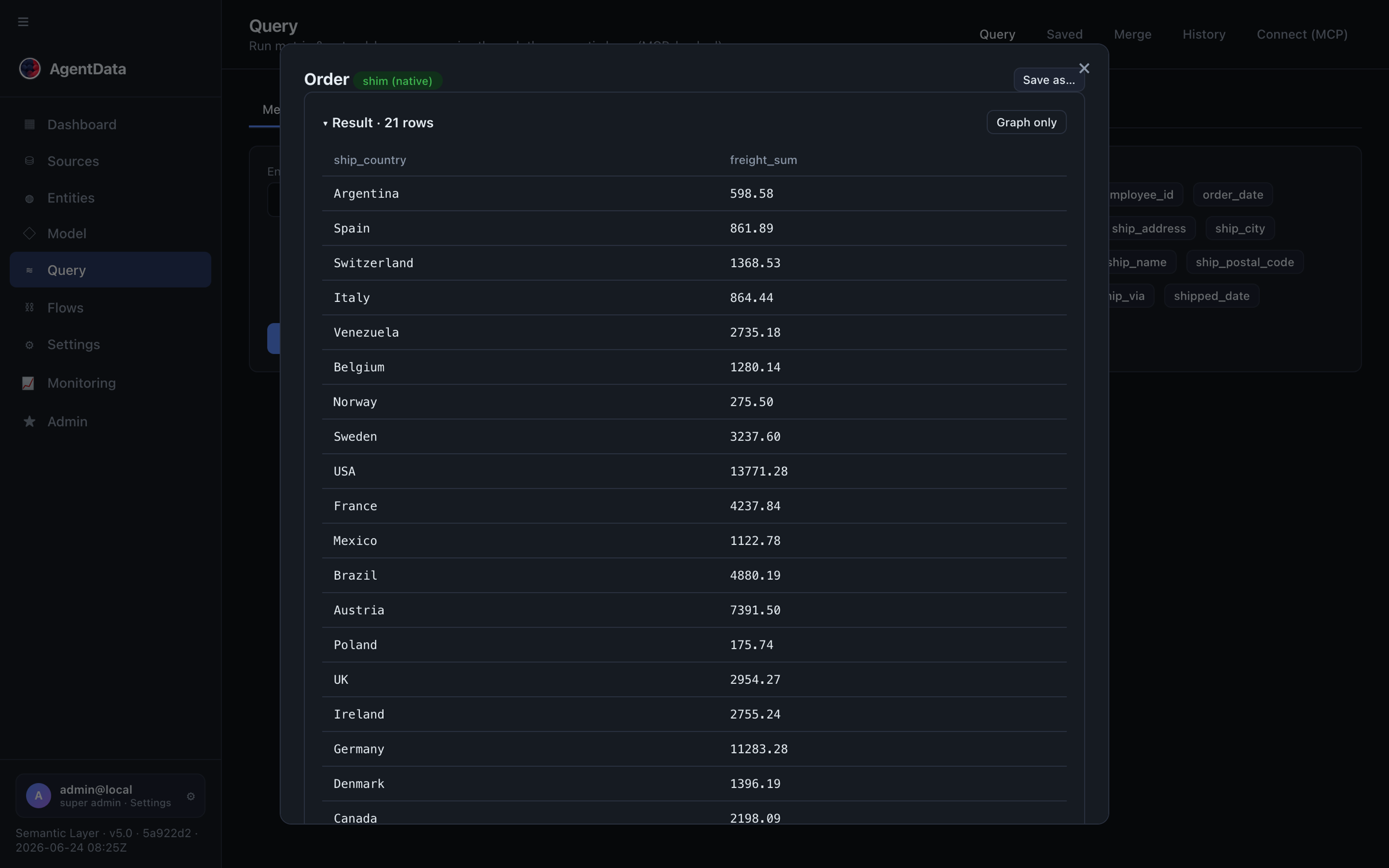
Open Conversation. In the Query tab, ask in plain language:
top 5 products by revenue
You get the rows, the chart, and the generated SQL — nothing is a black box. Then make it smarter:
- Follow-ups carry context: "…and only for Germany" refines the previous question.
- Teach a metric — describe a business term once ("net revenue = revenue minus discounts, excluding cancelled orders") and it becomes a reusable measure.
- Save good queries. Saved + approved queries become few-shot examples that teach the planner your phrasing — recall improves the more you curate (see Training & feedback).
Where this leaves you
A governed model with your names on it, queryable in plain language from the app, the API, MCP clients, and even Slack. Every other quick start builds on this foundation:
- Quick start 2 — enrich leads and push them to HubSpot with a flow.
- Quick start 3 — expose the data as a governed JSON service.
- Quick start 4 — publish reports to Power BI, Excel, Google Sheets or Metabase.
Workspace and navigation
Choose the intended tenant and project first. Semantic contains Entities and Model (routes /catalog/entities and /catalog/model). Conversation contains query/report work; Settings & Monitoring contains tenant settings and operational monitoring. Legacy Catalog URLs redirect to the current workspace. Review source bindings and a sample query before confirming proposed model changes.