Administration
Administration is split by audience. Settings is tenant-level — any admin manages their own organisation. Admin is system-wide and super-admin only. This page maps what lives where and what each control does; the user model page covers the roles, tenants and projects those controls act on.
Settings (tenant administration)
Users
Add users directly (email + role + category; an auto-generated temp password is shown once) or invite by email (a 14-day token; the invitee signs up straight into your tenant with the role you set). The table shows each user's role, category, active state, last login, session count and spend, with actions to activate/deactivate, edit or remove.
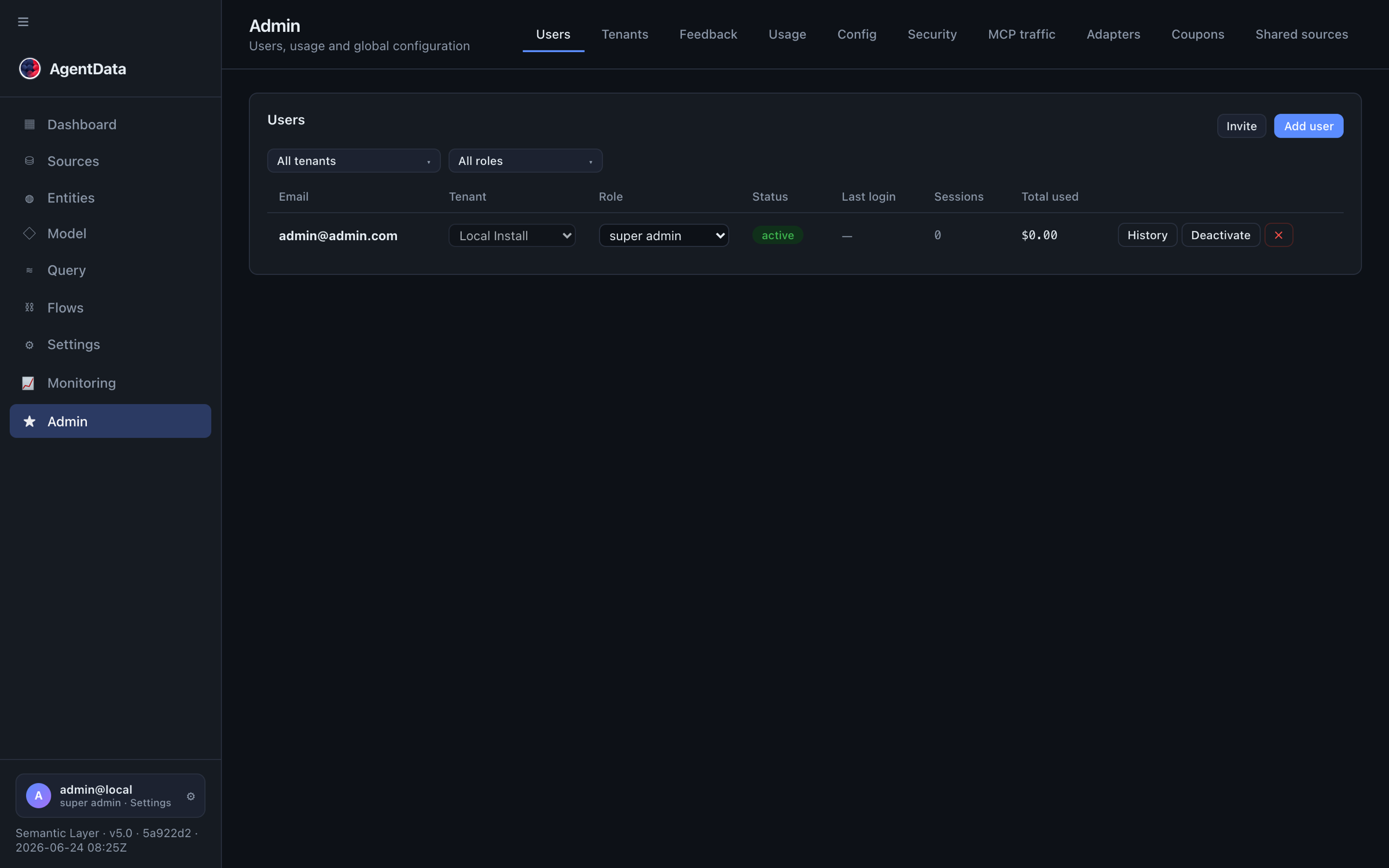
From here admins also manage:
- Categories — per-tenant data-access labels (default
global; addhr,finance, …). See categories. - Memberships (super-admin) — grant a user access to additional tenants; see multi-tenant membership.
Projects
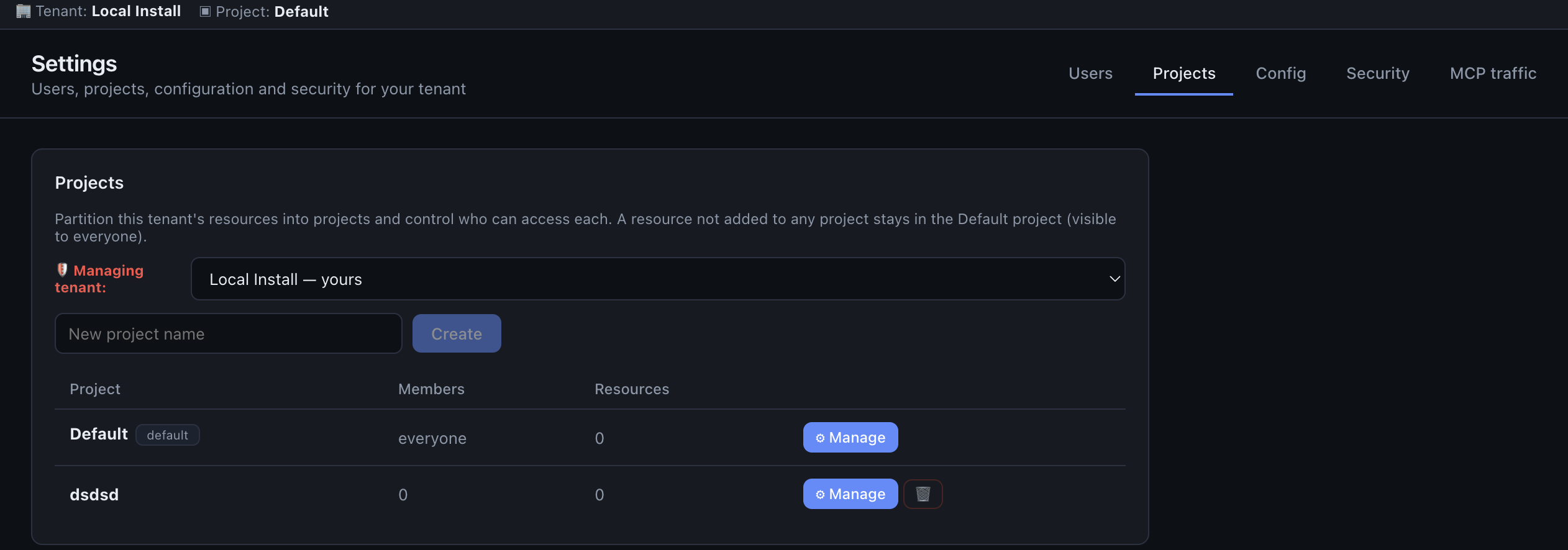
Projects partition a tenant's resources — connectors, flows, models and saved queries — into workspaces. Every tenant has a default project that holds anything not explicitly assigned. Create a project, add members, and assign resources by type. You can copy from another project (a deep clone that keeps lineage), and publish a project to everyone or to selected users. Requests carry the active project so the app only shows what belongs to it. See projects.
Config
Config surfaces the deployment settings and a few tenant-level knobs:
- System (read-only) — LLM provider and models, embeddings, federation, mail, discovery vitality thresholds, languages.
- Semantic search — enable pgvector and re-embed saved queries (new only, or all).
- Chart theme — palette, default chart type, value labels.
- ETL runtime — the flow settings:
max_parallel,bulk_rows, alerting,allow_create_target,allow_saas_write,log_retention_days. A super-admin can edit these for their own tenant, the global default, or any specific tenant.
Security
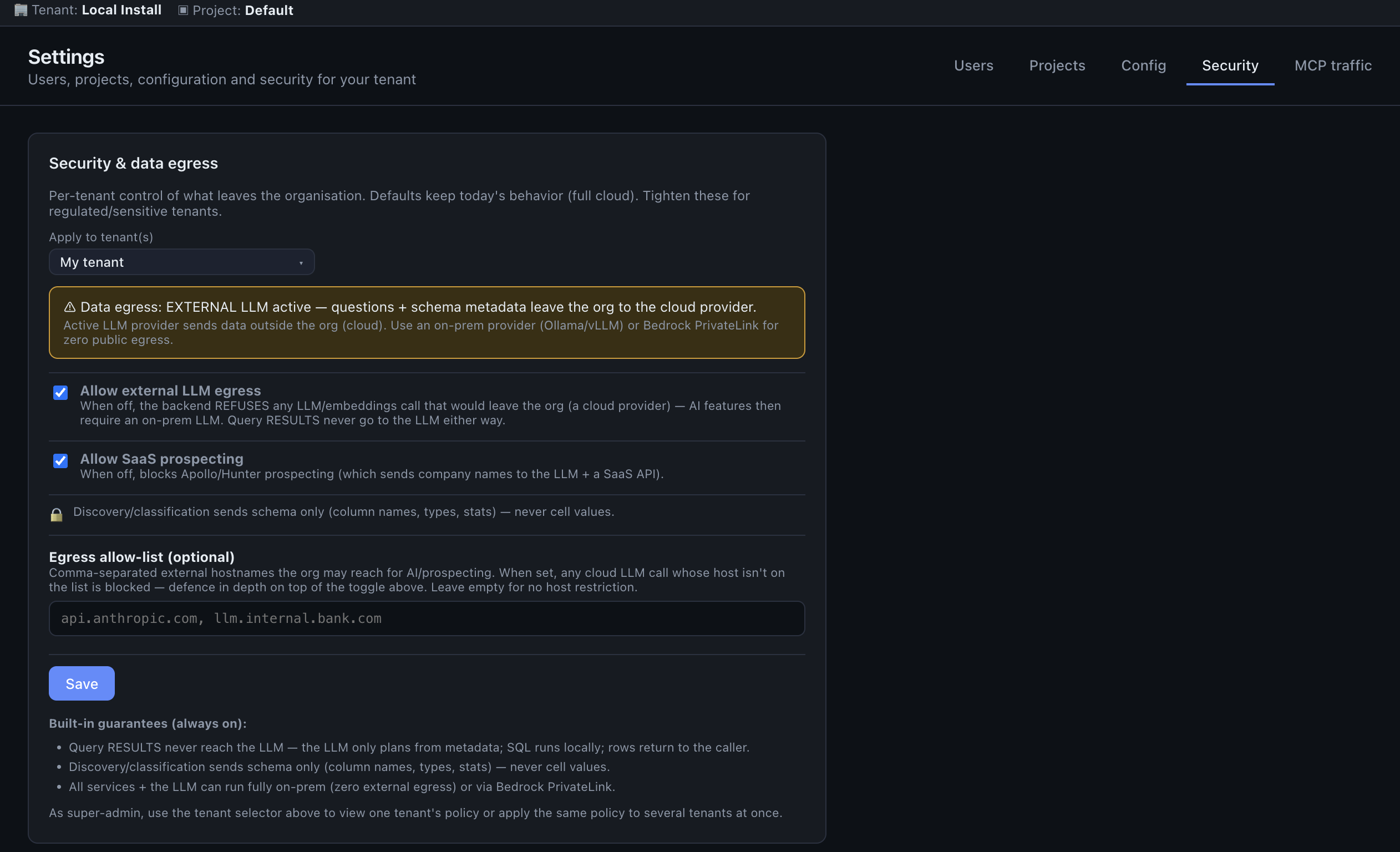
The per-tenant data-egress policy: toggle allow_llm_egress (off = LLM must be on-prem), allow_prospecting (off = no SaaS prospecting), and an egress allow-list of permitted hosts. A super-admin can select many tenants at once and apply one policy to all of them. Full detail — including the built-in guarantees about what never leaves — is on the Security page.
MCP
The MCP traffic monitor plus key governance: per-key scopes, brute-force lockout, and the failed-auth event log.
Admin (system-wide, super-admin only)
Tenants
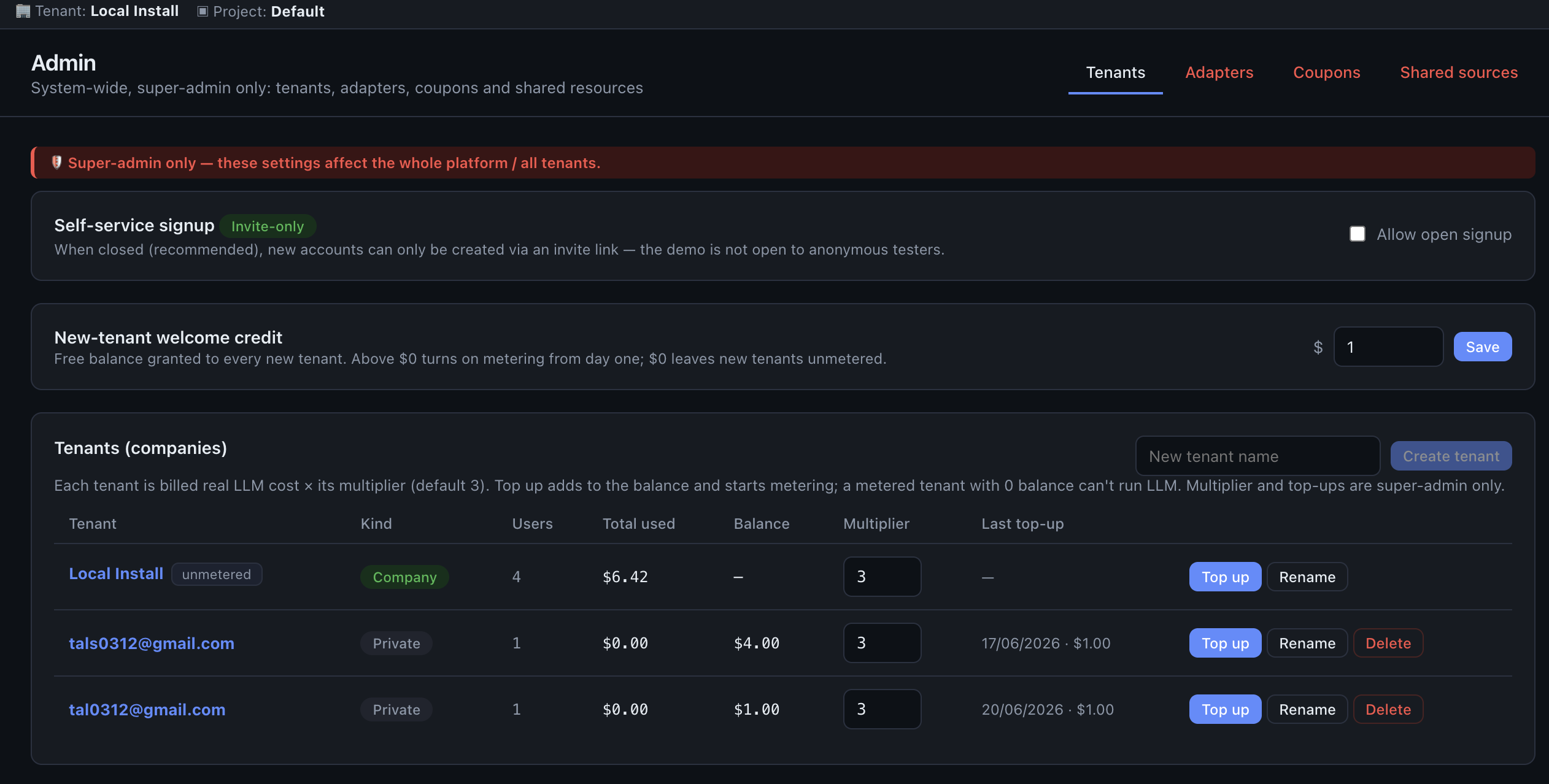
Create, rename, deactivate and inspect tenants. Per tenant you control the LLM budget: balance, manual top-ups, a cost multiplier (billed = real cost × multiplier), and whether billing is enabled at all. Global toggles here set open vs. invite-only registration and the welcome credit granted to new tenants. A tenant detail view lists its users and its top-up history. See tenants & billing.
Adapters
Tune any adapter live: edit its skill markdown (which sharpens classification) and override its settings (API base URLs, discovery sample size, timeouts, MCP scopes). Overrides are stored in the registry and deep-merged over the shipped defaults, so they survive restarts.
Coupons
Create redeemable balance codes (code, amount, max uses). Tenants redeem them from the Dashboard to top up their LLM balance; you can see who redeemed what.
Shared sources
Publish a source (optionally with its entities) to all tenants or a selected set — a one-time or retroactive deep-clone. Handy for a common reference dataset every tenant should have on day one.
Next steps
- User model — roles, categories, tenants, membership and projects in depth
- Roles — the quick role-capability reference
- Security — data-egress posture and guarantees
Documents Automation and enterprise identity
Documents Automation is a separate sidebar entry after Connectors and before Settings & Monitoring. Administrators configure the file-store adapter and project grants; editors use Documents, Templates and Monitoring to browse originals and save template versions. See the setup guide for deployment and connector prerequisites. Saved templates support retained-document extraction and human result review.
The proposed tenant Identity & Access panel will cover Entra SSO, delegated Microsoft access, customer-side KCD and workload identities. It is not present in the current app. See Enterprise identity & Active Directory for customer preparation and current availability.