AI lead enrichment → HubSpot
For: a startup or growth team that wants quick, repeatable automation without standing up a data stack.
The problem. You have a CRM full of half-empty company records — a domain here, a name there — and you want enriched contacts (emails, titles, company size) flowing in continuously. Normally that's a Zapier maze or a script someone has to babysit.
What you'll build. A single flow that pulls a seed list, enriches it with Apollo and Hunter, and lands a clean, HubSpot-ready list — then a schedule so it runs every morning on its own.
1. Connect your data providers
Go to Connectors → + Add source and add three connectors from the gallery. Each source type asks only for what it needs — HubSpot and the enrichment providers use an API key, not a connection string.
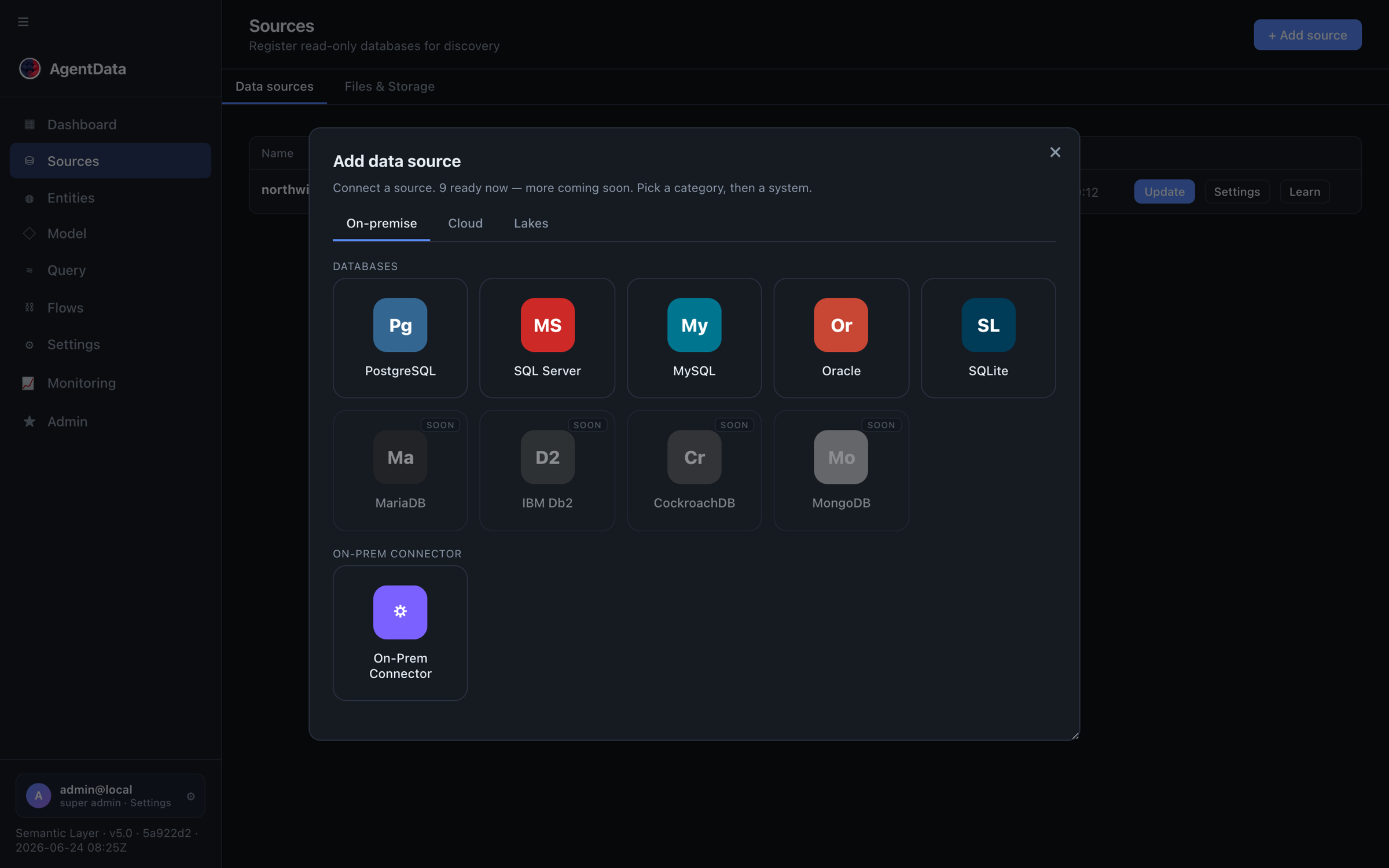
- HubSpot — paste a Private App token (scopes: read contacts & companies). This is your seed list to enrich.
- Apollo.io — paste your Apollo API key. People/company enrichment, domain-driven.
- Hunter.io — paste your Hunter API key. Email discovery for a domain.
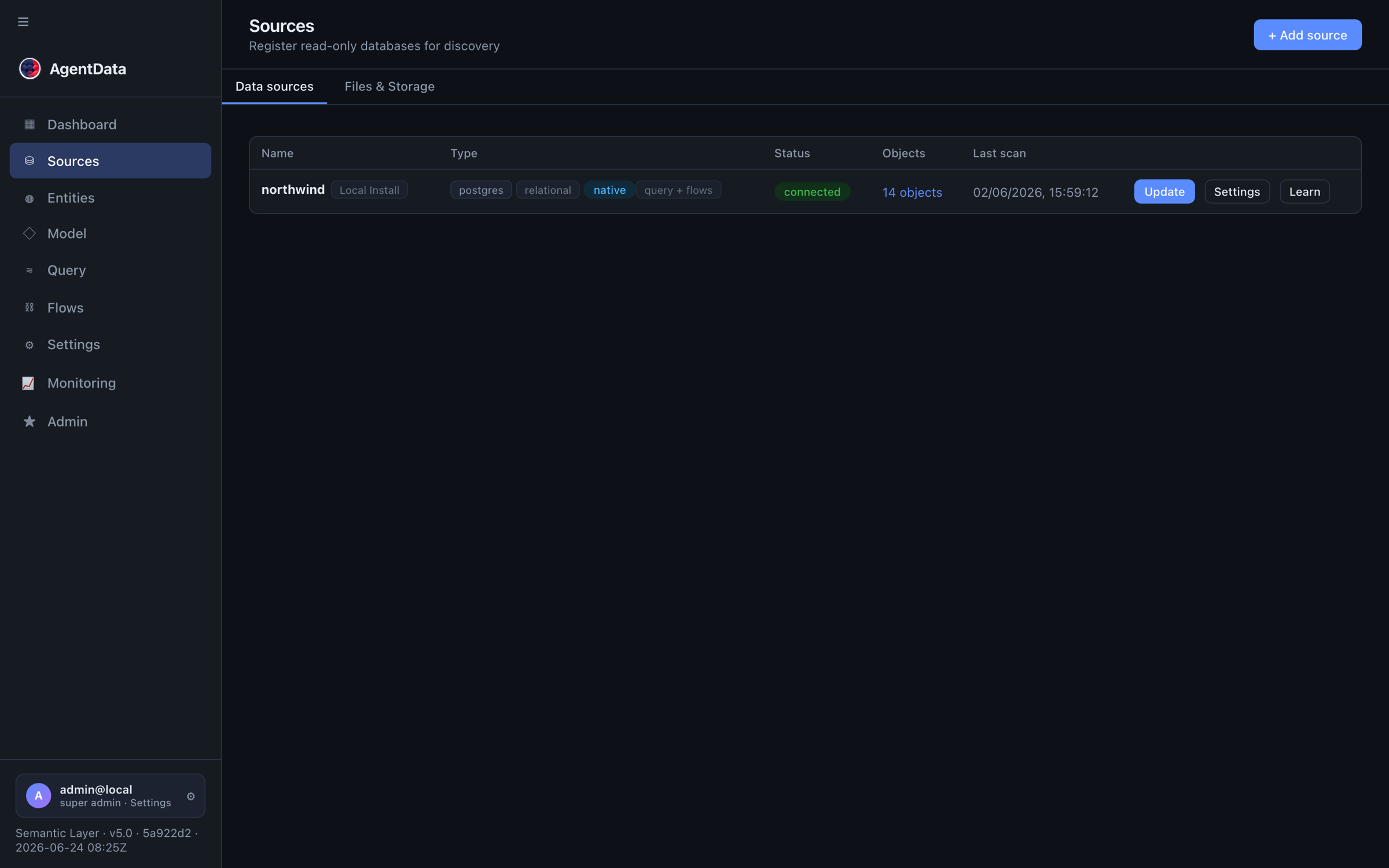
Your connected sources appear in the Connectors list with their type and status:
You can skip HubSpot and drive enrichment purely from a prompt (e.g. "SaaS companies, 50–200 employees, US") — Apollo returns the matching companies and people. HubSpot just gives you a warm seed list to start from.
2. Create a place to land the results
Flows write into a staging database (a managed workspace DB) and can also export a CSV file.
- Go to Agent Flows → Flows → Staging and + Add staging DB (or use the demo staging that ships with the app).
- For a file you can hand to HubSpot, go to Connectors → Files & Storage and add a store (a local folder, an S3 bucket, or an on-prem folder via the connector).
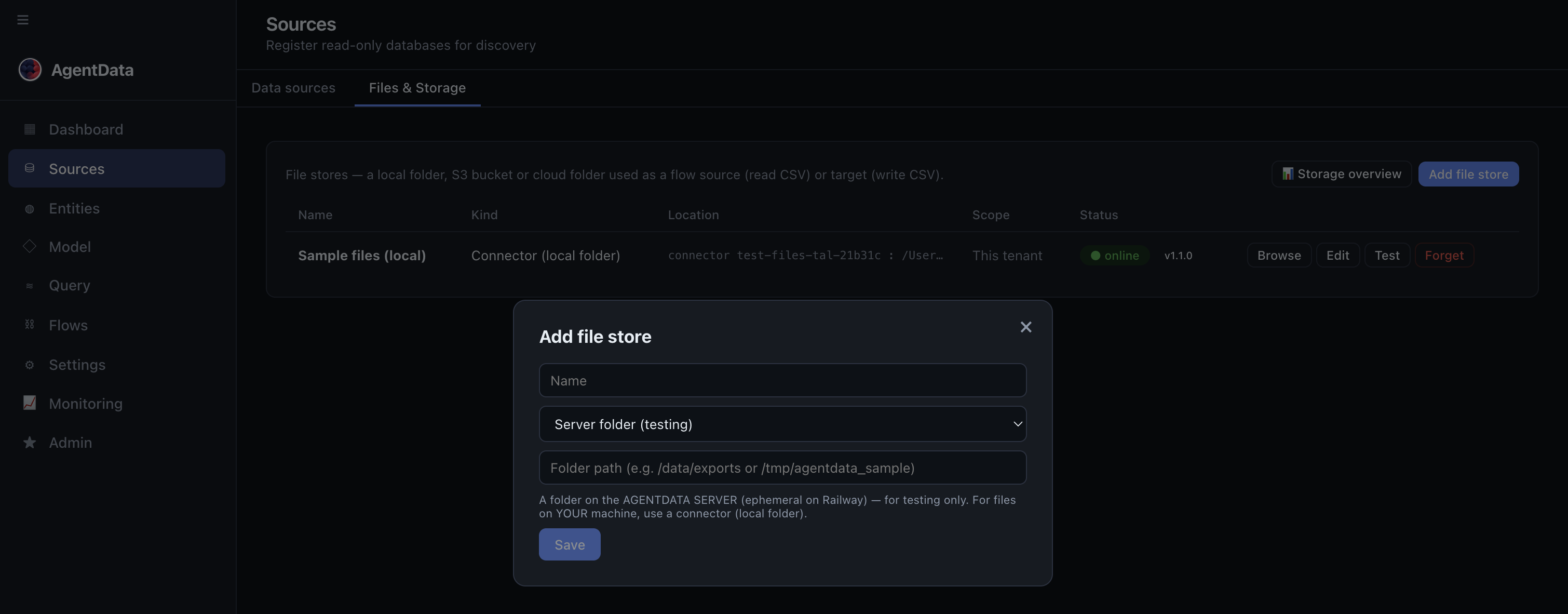
- File stores live under Sources, on the "Files & Storage" tab.
- Each store shows its kind and status — here a connector-backed local folder, online.
- Add a store: a local folder, an S3 bucket, or an on-prem folder via the connector.
3. Build the enrichment flow
Open Agent Flows → Flows → + New flow. A flow is a small pipeline of steps; for enrichment you need just one or two.
Step 1 — Source. Choose the source kind Prospecting / SaaS spec and write a short brief, e.g.:
Find decision-makers (Head of Sales, VP Marketing) at the companies in my HubSpot list; include name, title, work email and company size.
AgentData turns that into a reusable spec against Apollo/Hunter (it calls them via MCP where available, with a REST fallback) and previews the rows it will produce.
Step 2 — Target. Pick where the enriched rows go:
- New table in staging — to keep a growing, queryable list, or
- CSV in a file store — to import straight into HubSpot.
Map the provider fields to your target columns (drag in the Designer tab), add any calculated columns (e.g. a full_name or a lead score), and choose a load type — upsert on email so re-runs update existing rows instead of duplicating.
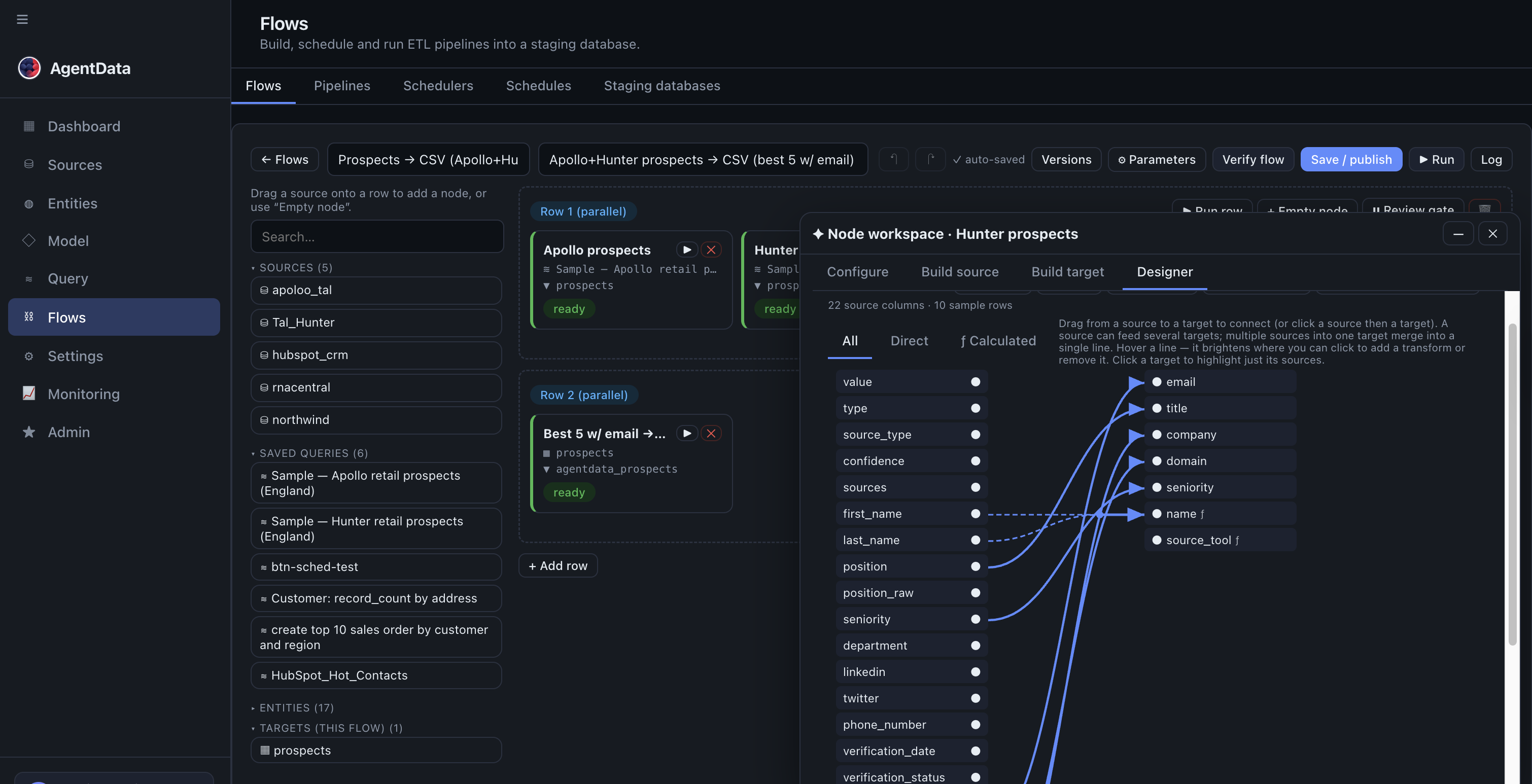
- Your connected sources (apollo, hunter, hubspot…) — drag them in as flow steps.
- Steps grouped into rows; everything in a row runs in parallel (Apollo + Hunter together).
- Designer tab: drag a provider field on the left onto your target column (email, title, company…) on the right.
- Save the flow, then Run once to preview the enriched rows.
4. Run it once, review the output
Click ▶ Run. The flow fetches, enriches, maps and writes — and shows per-step rows in/out. Review the result before trusting it:
- Open the flow's Exports to preview the produced CSV (columns + first rows), or
- If you wrote to a table, browse it from the staging DB.
When it looks right, you have a clean, deduplicated, enriched list.
5. Schedule it
You don't want to press Run every day. Two options:
- Per-flow schedule — open the flow's Schedule and pick Daily 07:00.
- Scheduler (run several flows together) — Agent Flows → Flows → Schedulers → + New scheduler, set the cadence, and add this flow (and any others) into a row.
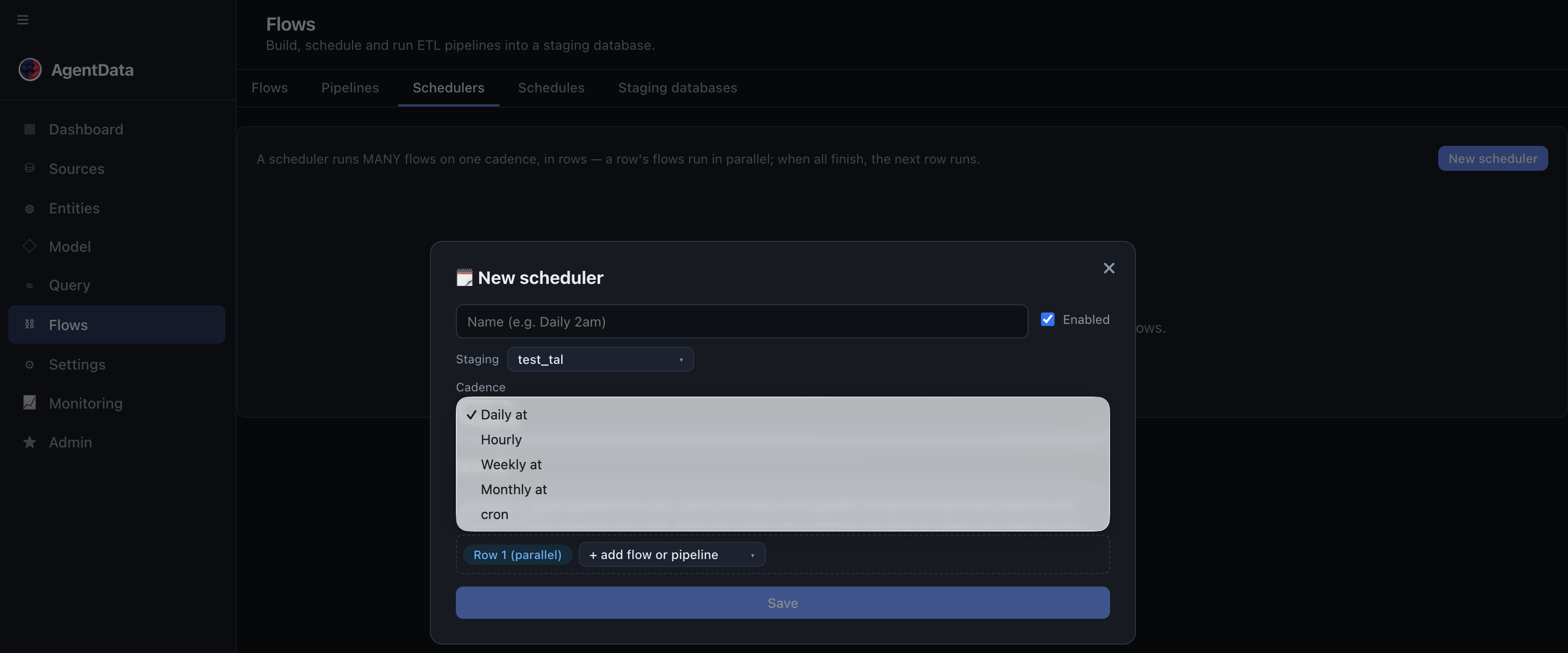
- Pick the cadence — Daily, Hourly, Weekly, Monthly, or a cron expression.
- Add flows AND whole pipelines into a row.
- Switch the scheduler on.
6. Get it into HubSpot
- CSV target: download the export (or pick up the file from your S3 bucket) and use HubSpot's native Import to upsert contacts/companies.
- Table target: keep the enriched list in staging and query it, or point your existing HubSpot import at it.
Pulling from HubSpot (as a source) and producing a HubSpot-ready file is supported today. A direct HubSpot write-back target (push enriched rows back into HubSpot automatically) is on the roadmap — until then, the CSV import is one click in HubSpot.
The result
A hands-off enrichment loop: every morning AgentData pulls your list, enriches it with Apollo/Hunter, dedupes and scores it, and leaves a HubSpot-ready file — work that used to be a brittle script or a paid automation tool, now a flow you can read and change in the UI.
Next: combine several flows into a pipeline (e.g. enrich → score → export), or query the enriched table in plain language — see the semantic layer use case.